Pricing

Resources

Case Studies

Login
Book a Demo

How to setup Meta Pixel for your business on Meta Ads Manager

Setting up a pixel on Cheerio AI is quite simple and easy, but before that, you have to configure a few things on your Facebook Events Manager. Here are the steps for you to follow.


1. Log in to your Facebook Business Manager at business.facebook.com
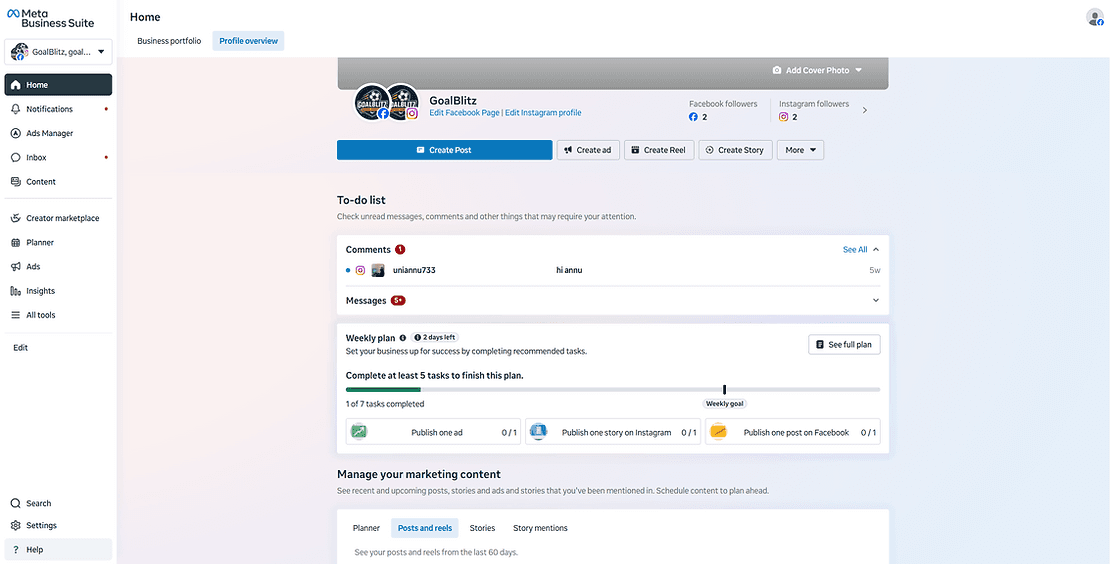
ree


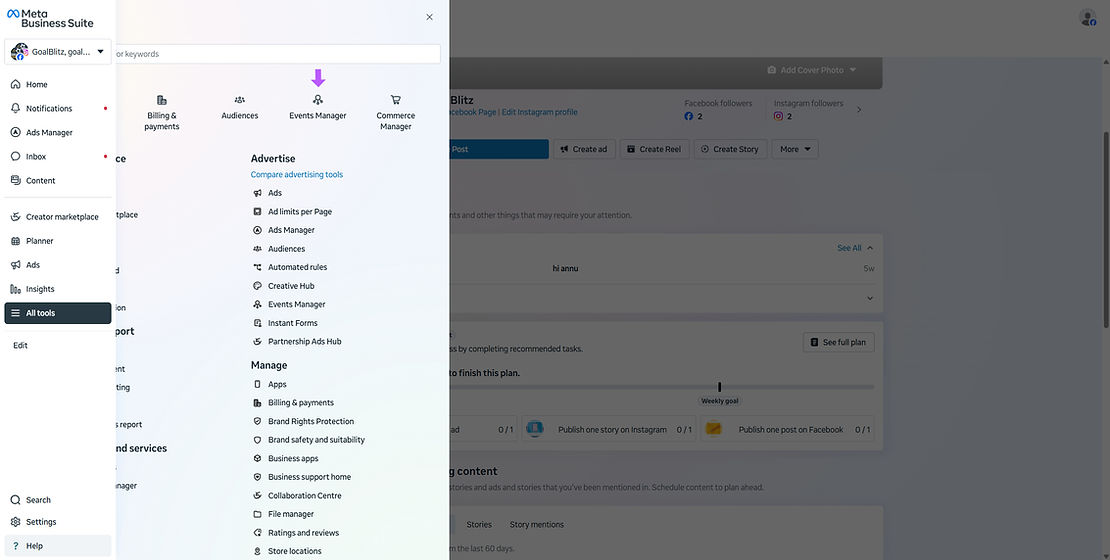
2. Go to all tools > Events Manager

ree


3. Facebook will open the events manager in a new tab
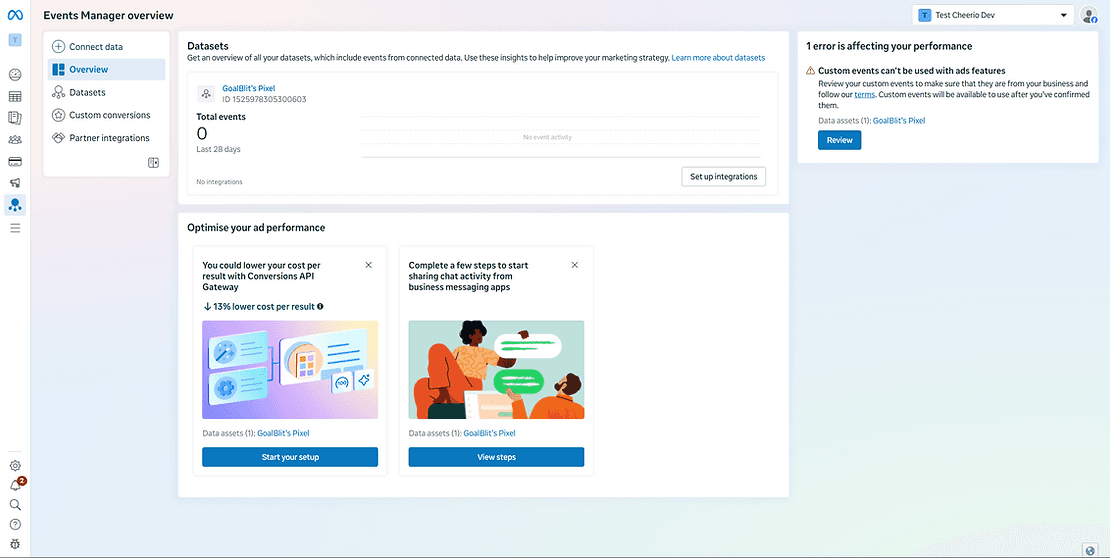
ree


4. Click on the CONNECT DATA button at the top left.
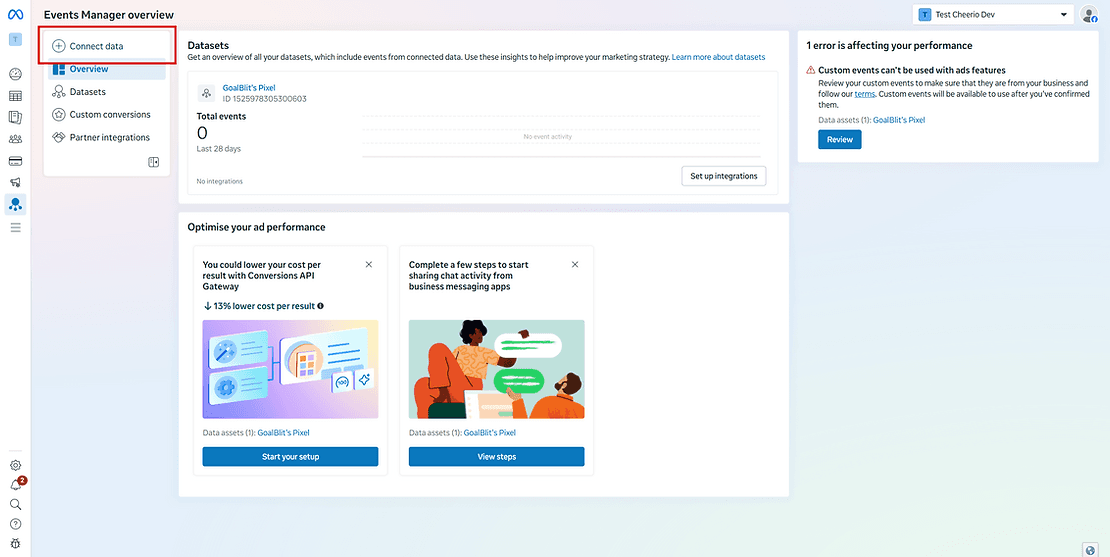
ree


5. Select Messaging as an option because we will be sending data from WhatsApp & Instagram
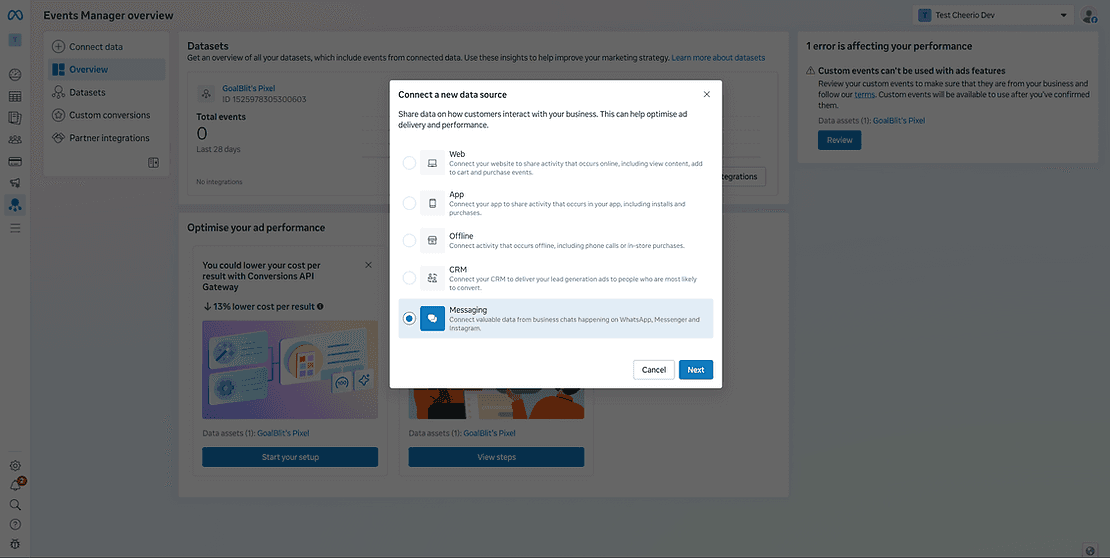
ree


6. Select the Facebook page if you're setting up for WhatsApp, and Instagram when creating CTD Ads
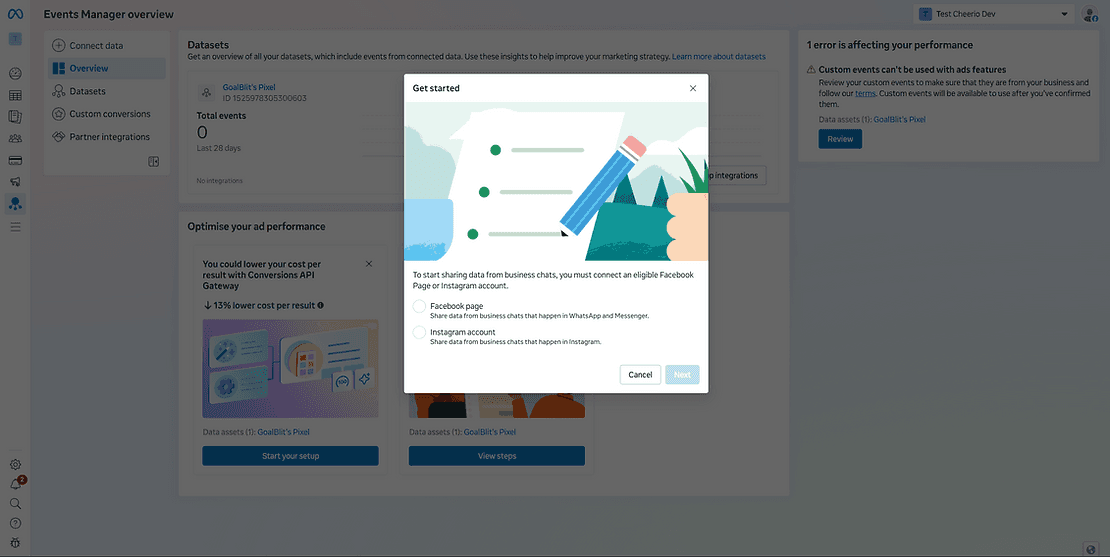
ree


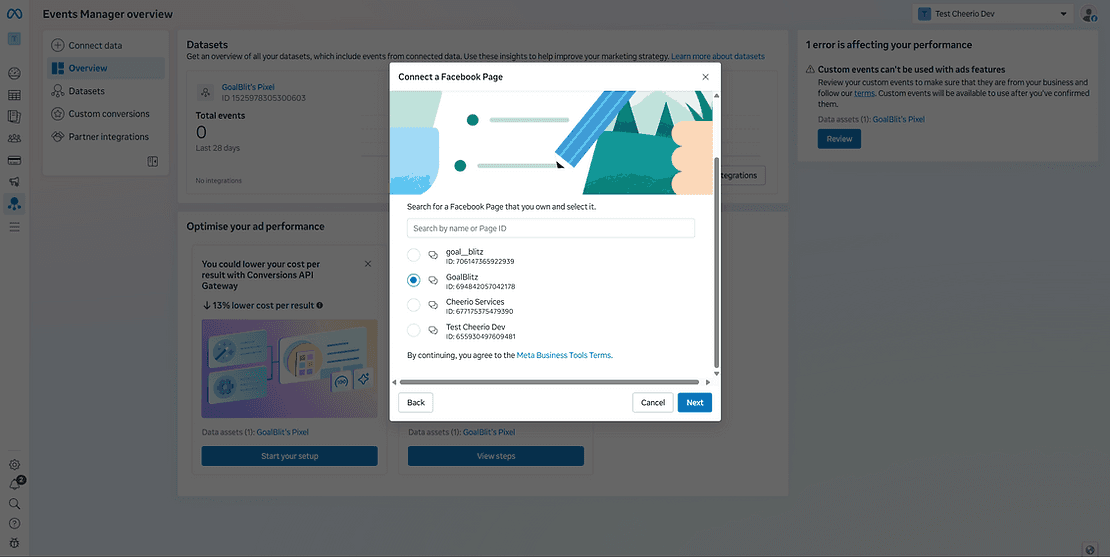
  1. Select the page here (Make sure to use the same page you're using for running the ads). If the pages are different, your setup will be completed, but Facebook will not receive any details
ree


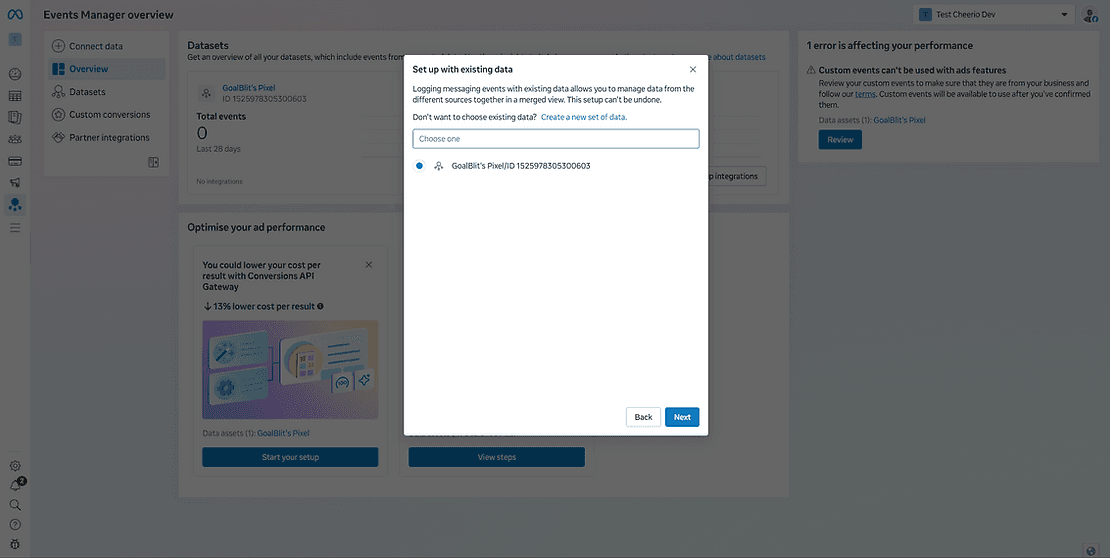
8. Select the dataset in which you want details to be updated. In case you don't have any existing dataset, simply create a new dataset.
ree


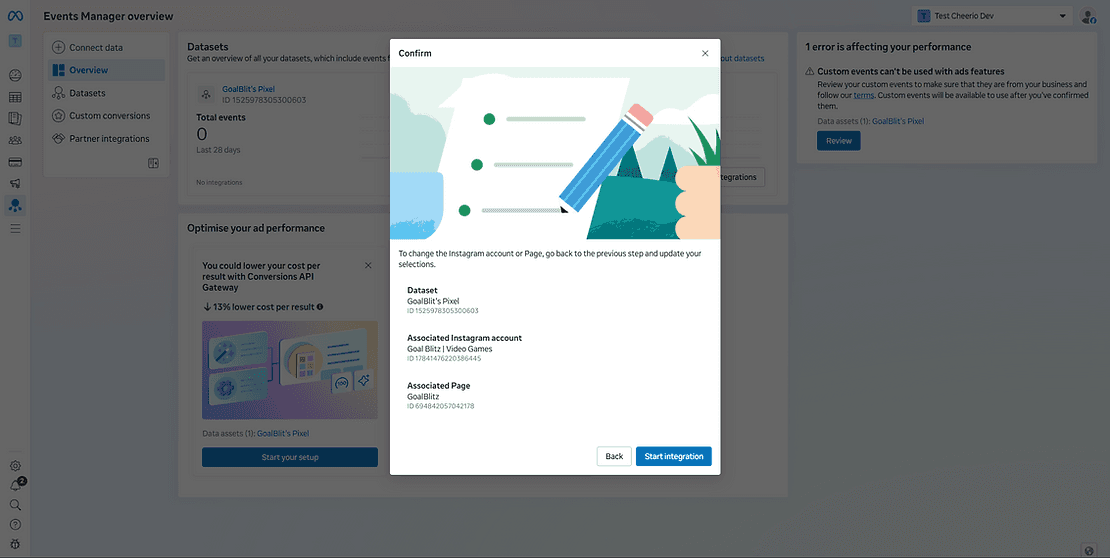
9. Select the Instagram account at this step, or you can skip if you don't have an Instagram account connected with the same Facebook page

ree


10 That's it, your setup on Events Manager is completed. Now we have to set up another one on Cheerio
ree

Recommended for You

Prerequisites for setting up WhatsApp on Cheerio

January 6, 2026

How to set up Email channel on Cheerio AI

December 29, 2025

How to setup Instagram Channel on Cheerio AI

December 7, 2025

See Cheerio AI in action

Schedule a demo to explore how Cheerio runs enterprise workflows across your systems and channels.

Book a demo

Trusted by enterprise teams running workflows at scale.

Running enterprise workflows with clarity and control.

admin@cheerio.in

Home

About

Features

Comparison

Testimonials

FAQ’s

Pages

Pricing

Blogs

Guides

Case Studies

Privacy Policy

Social

Linkedin

Instagram

Youtube

© 2026 Cheerio AI. All rights reserved.

Designed by Moonkraft Studio

See Cheerio AI in action

Schedule a demo to explore how Cheerio runs enterprise workflows across your systems and channels.

Book a demo

Trusted by enterprise teams running workflows at scale.

Running enterprise workflows with clarity and control.

admin@cheerio.in

Home

About

Features

Comparison

Testimonials

FAQ’s

Pages

Pricing

Blogs

Guides

Case Studies

Privacy Policy

Social

© 2026 Cheerio AI. All rights reserved.

Designed by Moonkraft Studio

See Cheerio AI in action

Schedule a demo to explore how Cheerio runs enterprise workflows across your systems and channels.

Trusted by enterprise teams running workflows at scale.

Book a demo

Running enterprise workflows with clarity and control.

admin@cheerio.in

Home

About

Features

Comparison

Testimonials

FAQ’s

Pages

Pricing

Blogs

Guides

Case Studies

Privacy Policy

Social

Linkedin

Instagram

Youtube

© 2026 Cheerio AI. All rights reserved.

Designed by Moonkraft Studio