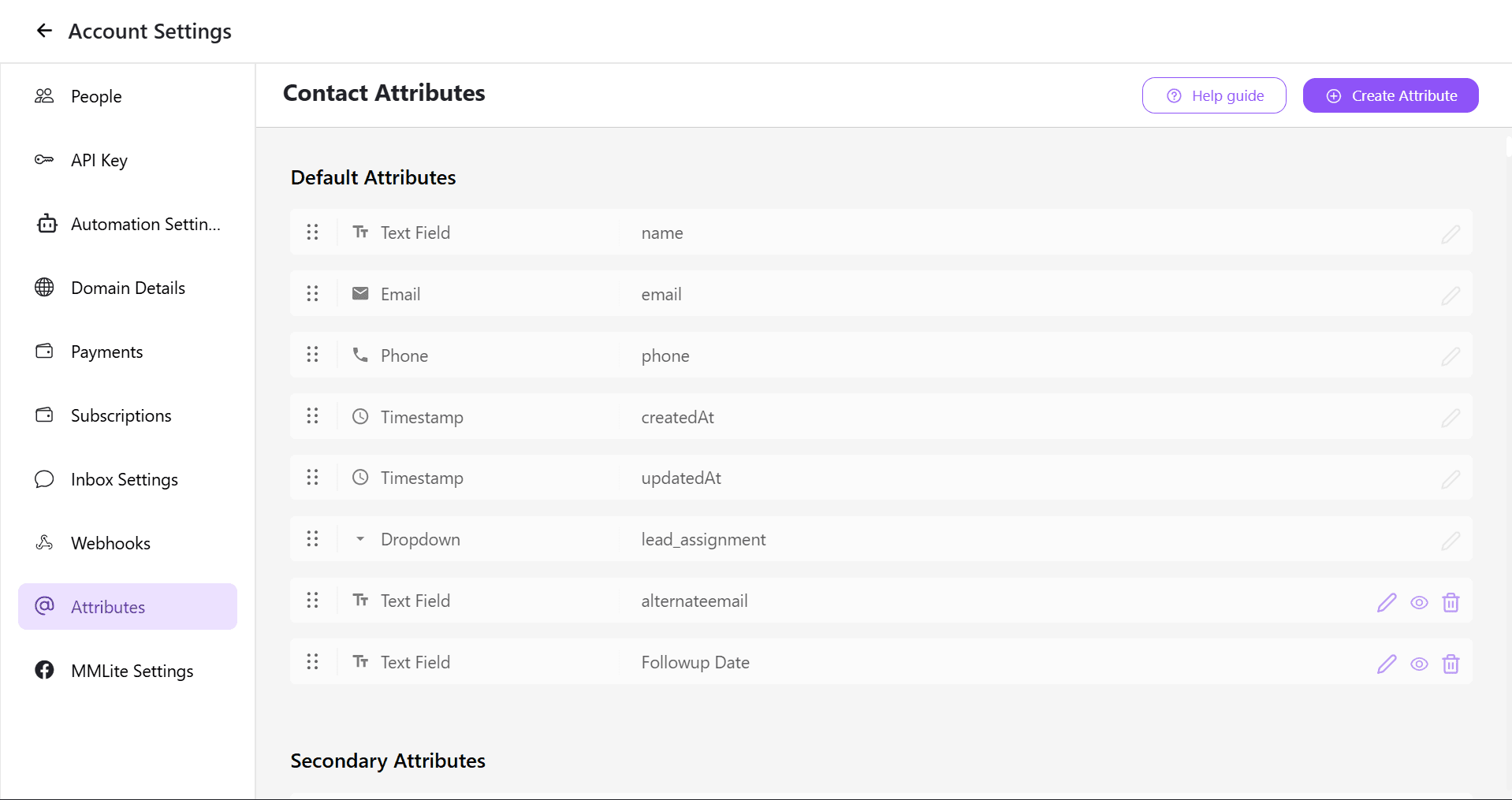
How do you upload contacts and map customer attributes on Cheerio AI?

You can upload your customers list on Cheerio in a csv format and map Sheet headers with customer attributes created on Cheerio.

Here are the steps to follow:

1. Login to your Cheerio Dashboard on go to contacts page from nav bar.

ree


2. Click on "upload contacts" button and select for "upload contacts" option from the list

ree


3. Select where you want to save your contacts you can either add them to an existing label or you can add it to a new label.
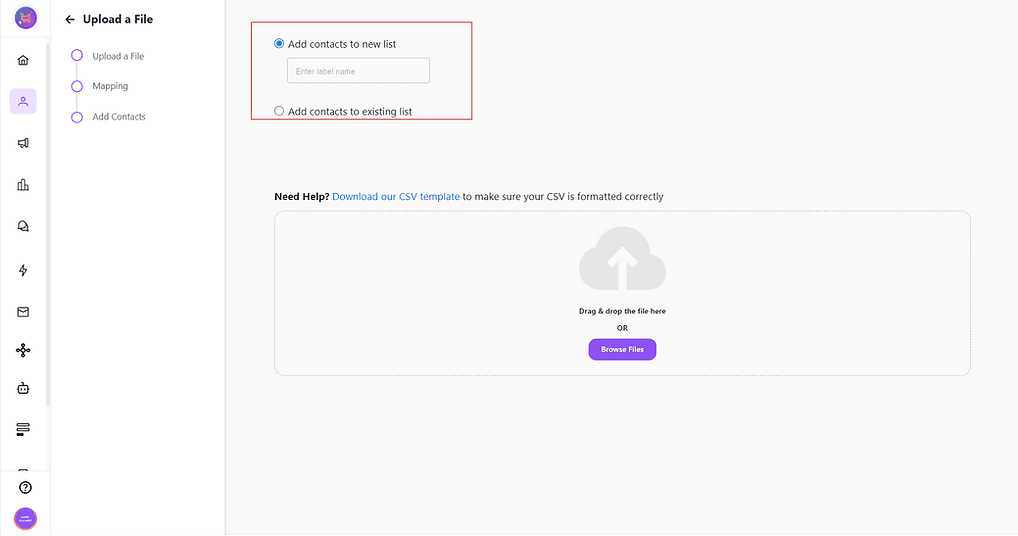
ree


4. Upload csv file or you can simply drag and drop your file here to upload.
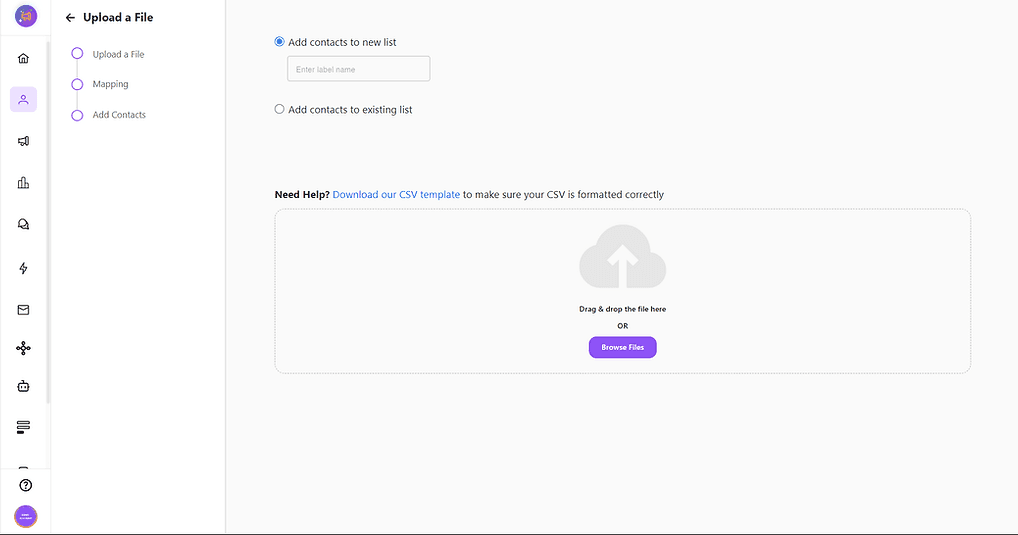
ree


5. Once uploaded it will take a while to process all the rows from your file. Them click "Proceed"
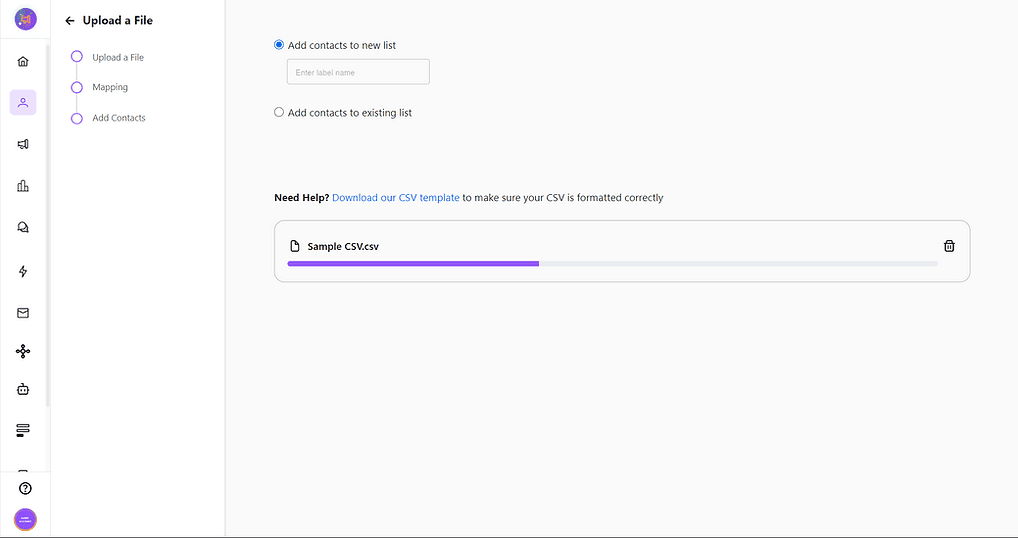
ree


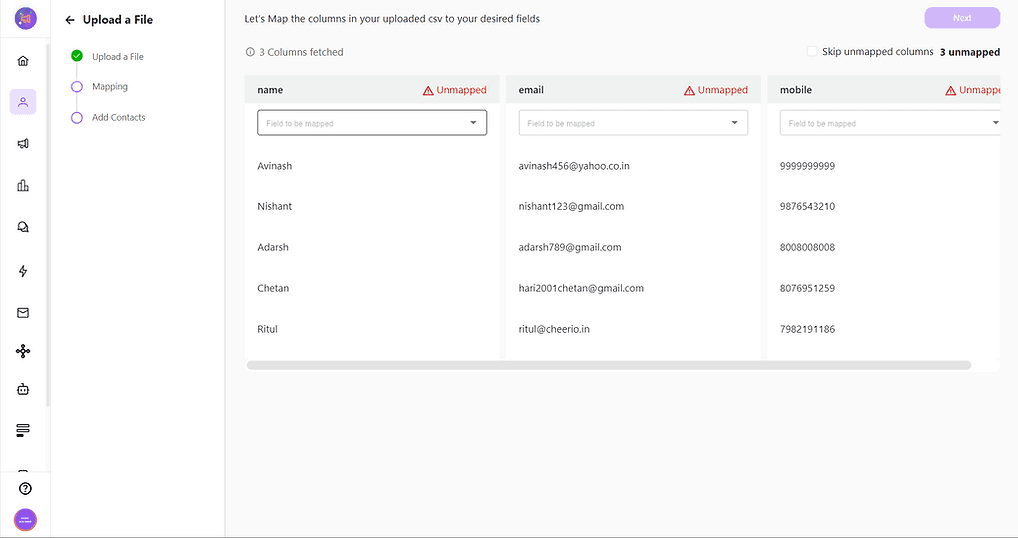
6. You can see that we've already mapped few of your list headers based on attributes. For unmapped attributes you can map them manually one-by-one by clicking on "Field to be mapped"
ree


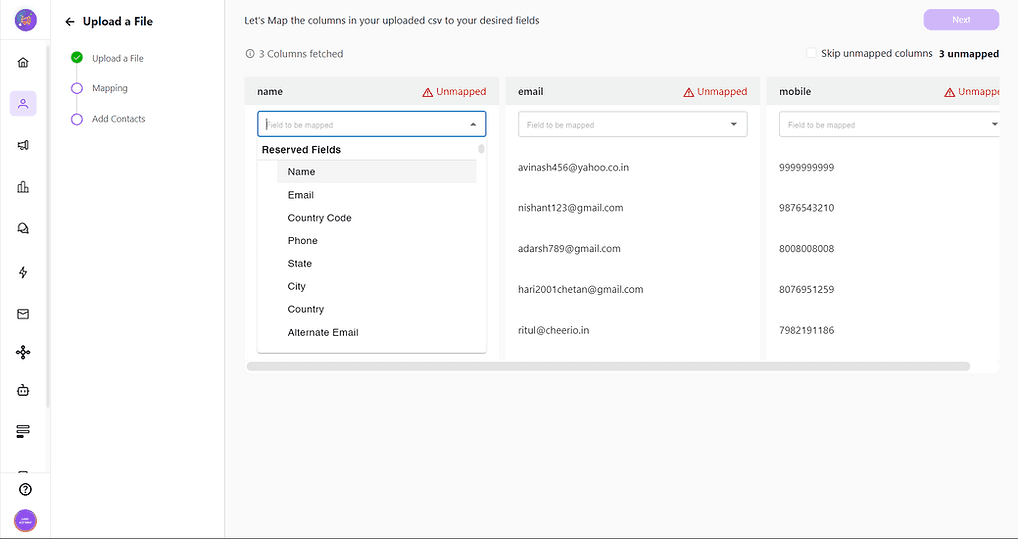
7. Select the relevant attribute you want to map column with and click next
ree


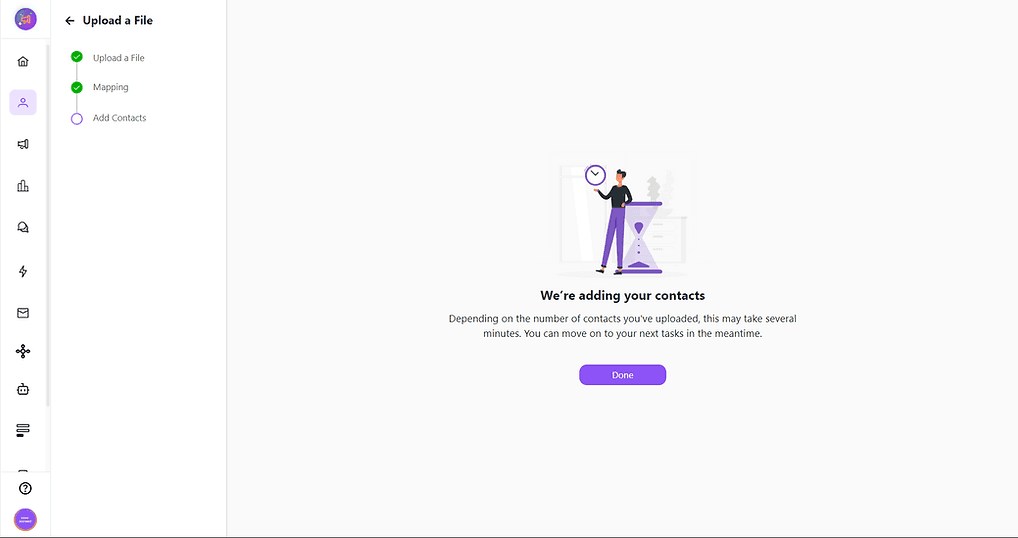
8. Your contacts will be added based on the volume of rows & column in your file.
ree


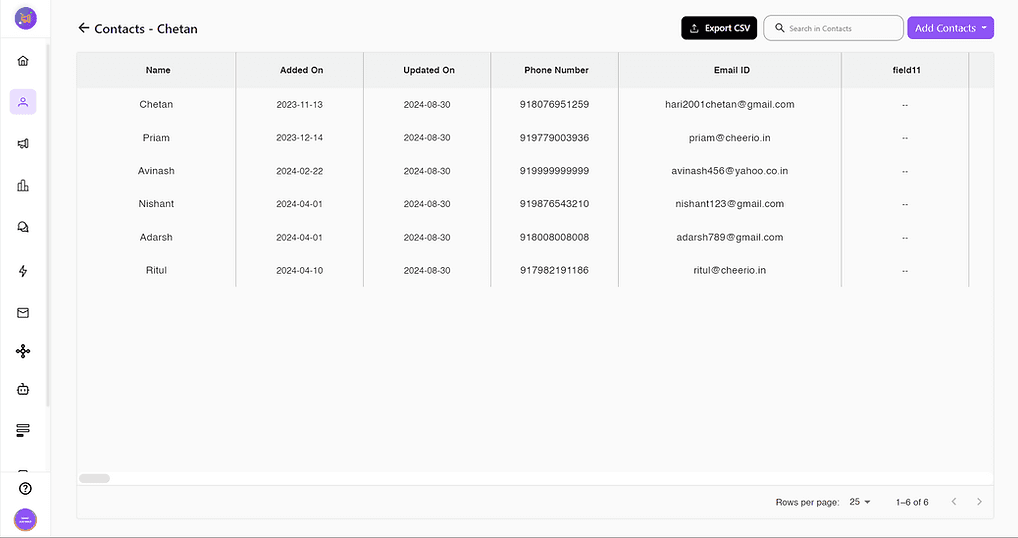
9. Once uploaded you can check whether your contacts are added or not by going to labels section where you've saved it.
ree


Now you can run campaigns, create automation and do more with help of Cheerio, To learn more check out our other articles as well.
Recommended for You

How to create Click-to-Instagram DM (CTD) Ads & Post-Message Automation in Cheerio AI

January 29, 2026

Collect UPI Payments Directly Inside WhatsApp with Cheerio AI

January 24, 2026

How to create and manage custom contact attributes on Cheerio?

December 14, 2025

Pricing

Resources

Case Studies

Login
Book a Demo

See Cheerio AI in action

Schedule a demo to explore how Cheerio runs enterprise workflows across your systems and channels.

Book a demo

Trusted by enterprise teams running workflows at scale.

Running enterprise workflows with clarity and control.

admin@cheerio.in

Home

About

Features

Comparison

Testimonials

FAQ’s

Pages

Pricing

Blogs

Guides

Case Studies

Privacy Policy

Social

Linkedin

Instagram

Youtube

© 2026 Cheerio AI. All rights reserved.

Designed by Moonkraft Studio

See Cheerio AI in action

Schedule a demo to explore how Cheerio runs enterprise workflows across your systems and channels.

Book a demo

Trusted by enterprise teams running workflows at scale.

Running enterprise workflows with clarity and control.

admin@cheerio.in

Home

About

Features

Comparison

Testimonials

FAQ’s

Pages

Pricing

Blogs

Guides

Case Studies

Privacy Policy

Social

© 2026 Cheerio AI. All rights reserved.

Designed by Moonkraft Studio

See Cheerio AI in action

Schedule a demo to explore how Cheerio runs enterprise workflows across your systems and channels.

Trusted by enterprise teams running workflows at scale.

Book a demo

Running enterprise workflows with clarity and control.

admin@cheerio.in

Home

About

Features

Comparison

Testimonials

FAQ’s

Pages

Pricing

Blogs

Guides

Case Studies

Privacy Policy

Social

Linkedin

Instagram

Youtube

© 2026 Cheerio AI. All rights reserved.

Designed by Moonkraft Studio