How to create an embeddable or pop-up or shareable link form using Cheerio AI

With the help of Cheerio Forms, you can now send automated messages, emails, and SMS, or you can do a lot more whenever a new response is received.

This article will be divided into 2 sections

  1. Creating a form

  2. Setting up automation


1. How to create a form

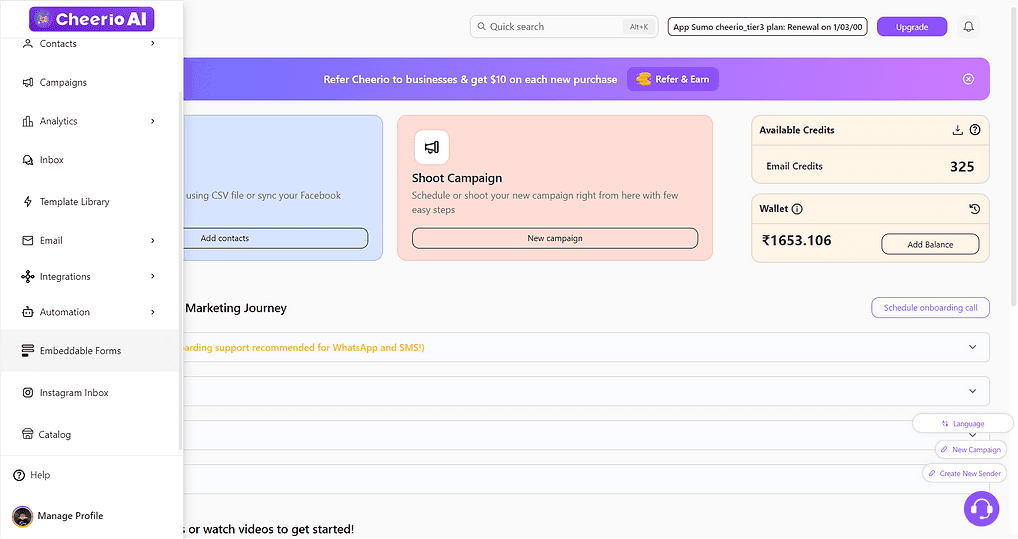
1.1 Login to your Cheerio dashboard and scroll to the embeddable form from the navigation menu
ree


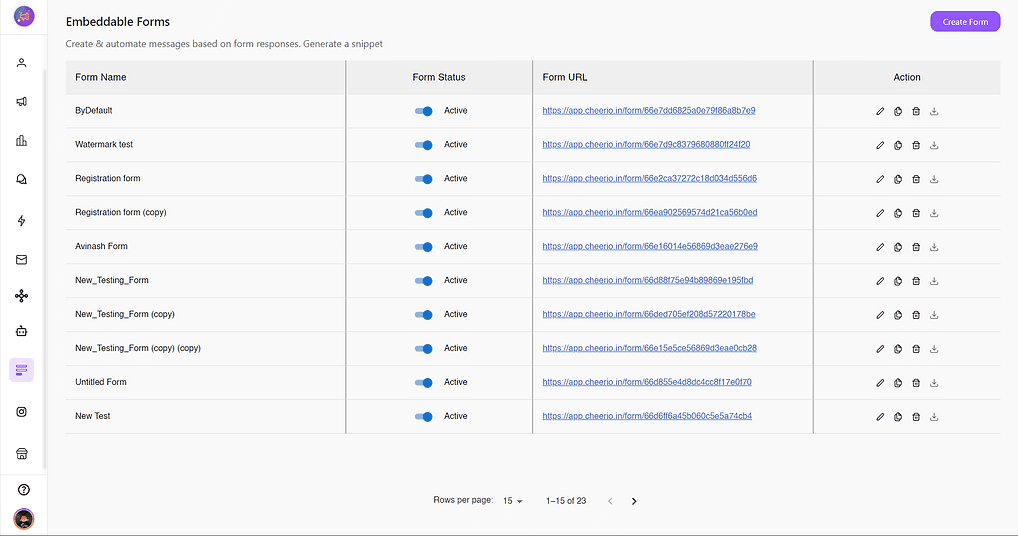
1.2 Here you will see all your created forms in a table. You can edit, delete or duplicate these whenever you want
ree


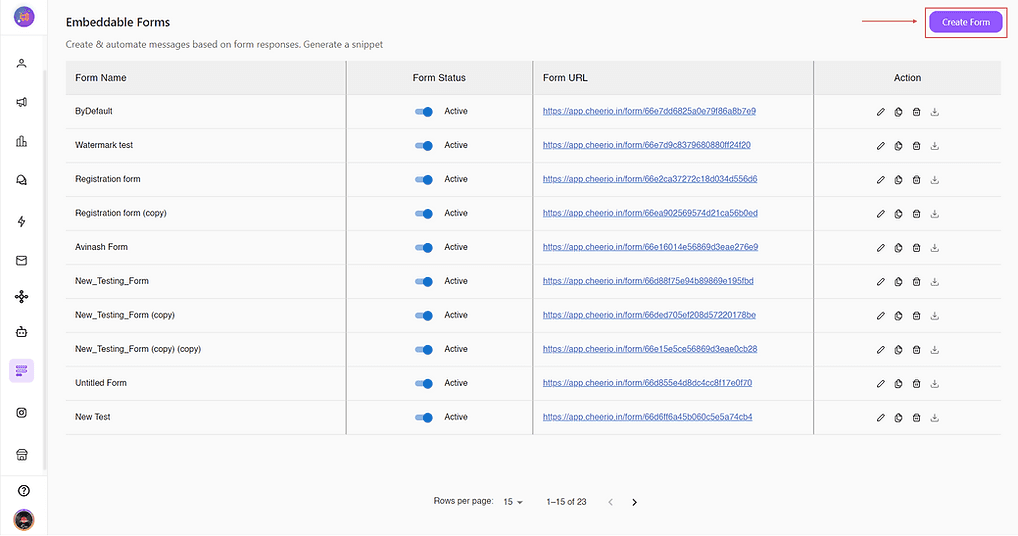
1.3 Click on Create Form in the top right corner to start creating a form
ree


1.4 Now here you can see all the different form properties like form color, corner radius, Text color, and more... you can alter these properties according to your preferences

ree


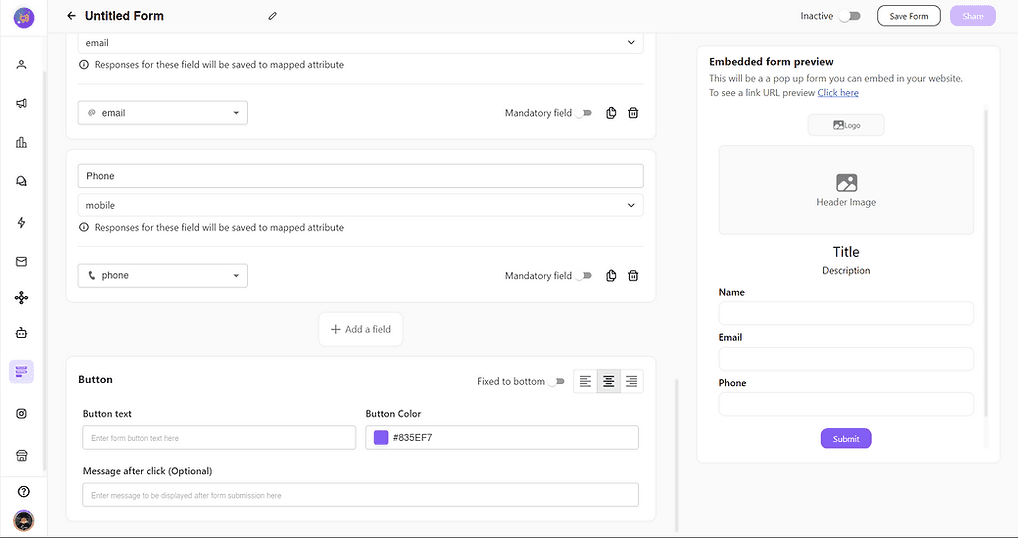
1.5 You can add a field, Name a field (Name, Phone no., Email etc.)
ree


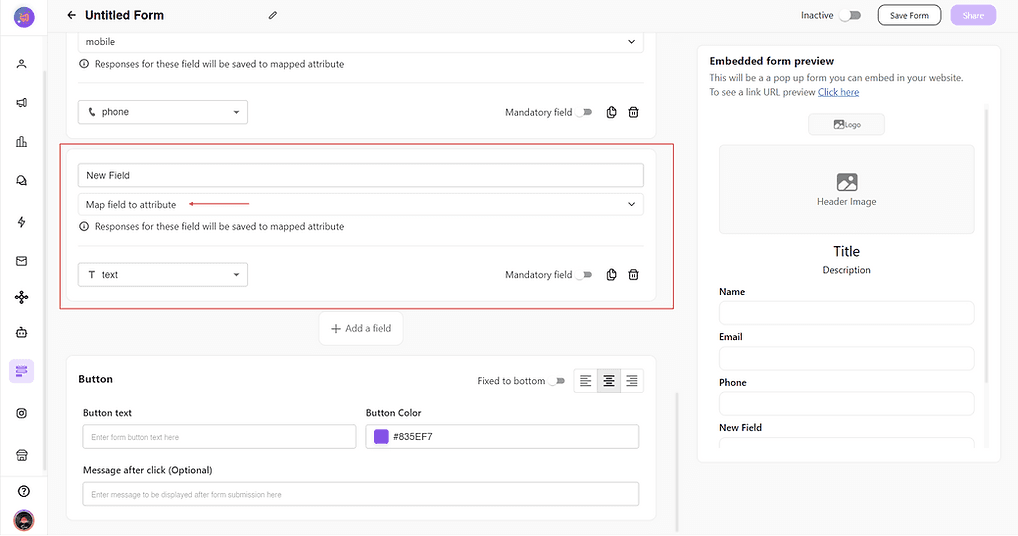
1.6 You can map the field response to be saved in a particular attribute by selecting the attribute.
ree


1.7 You can set a field as optional or mandatory and can set response validations like (Text, email, or phone no. )
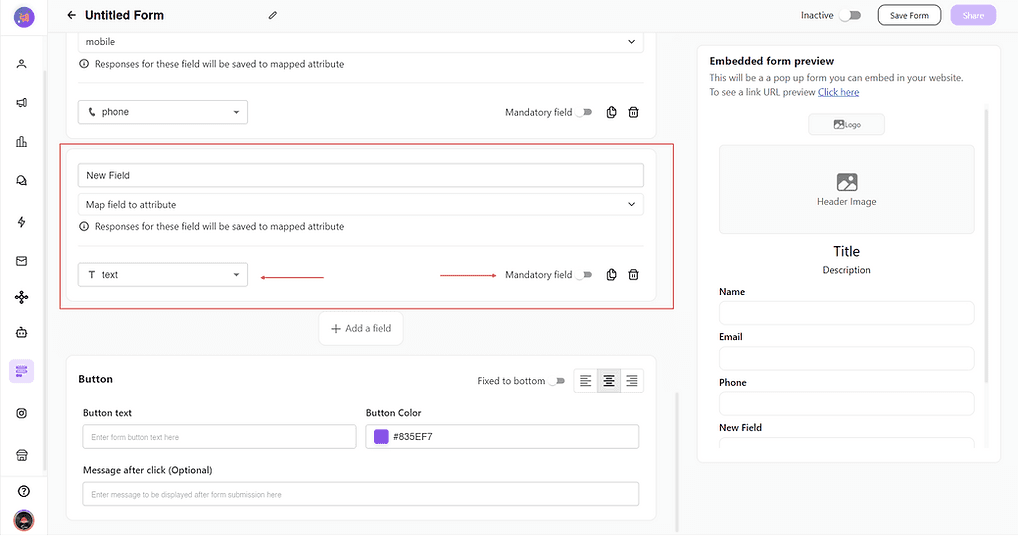
ree


1.8 Last you can set your button text and color according to your preference and can set a thankyou or submission message for your customers
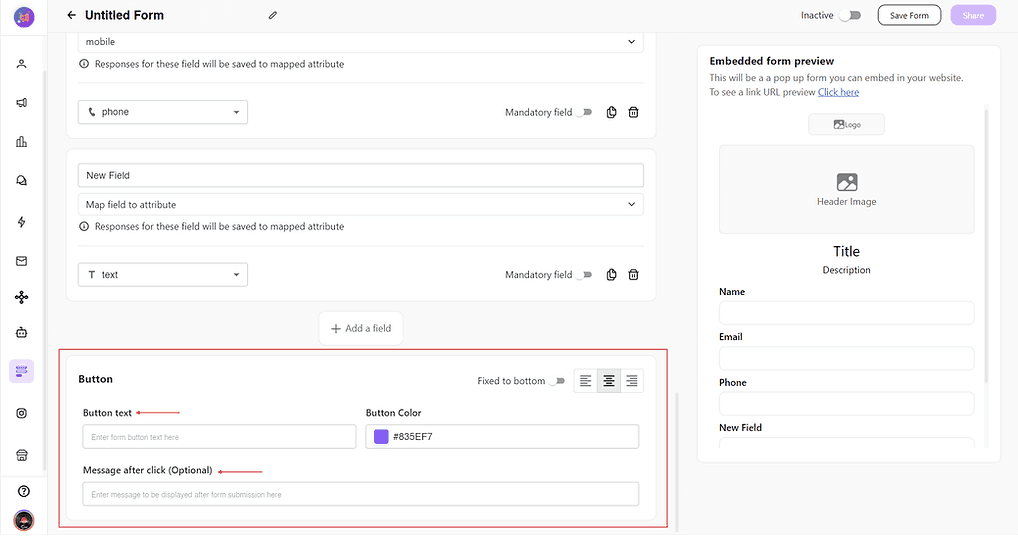
ree


1.9 You can preview your embeddable form changes here and for shareable form click on the "click here" text
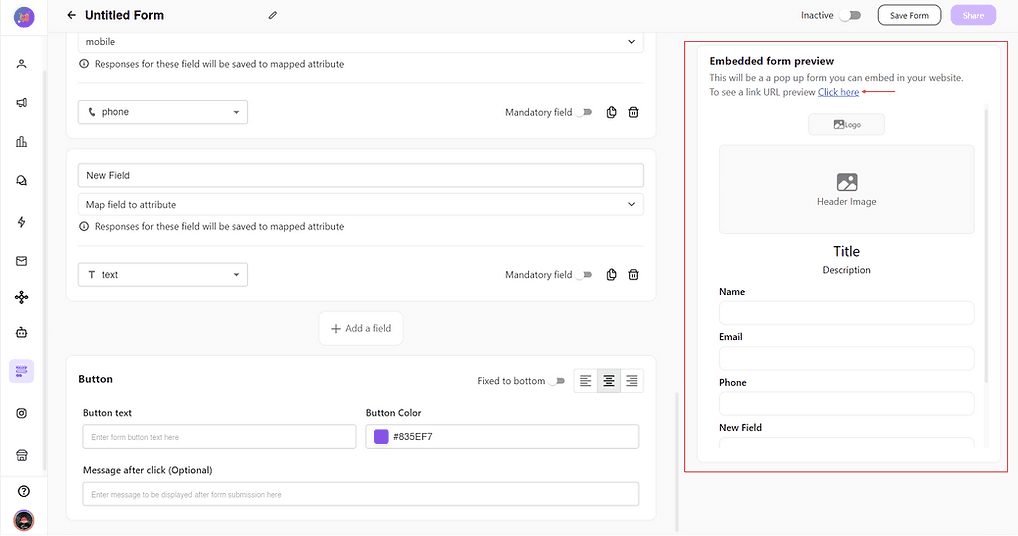
ree


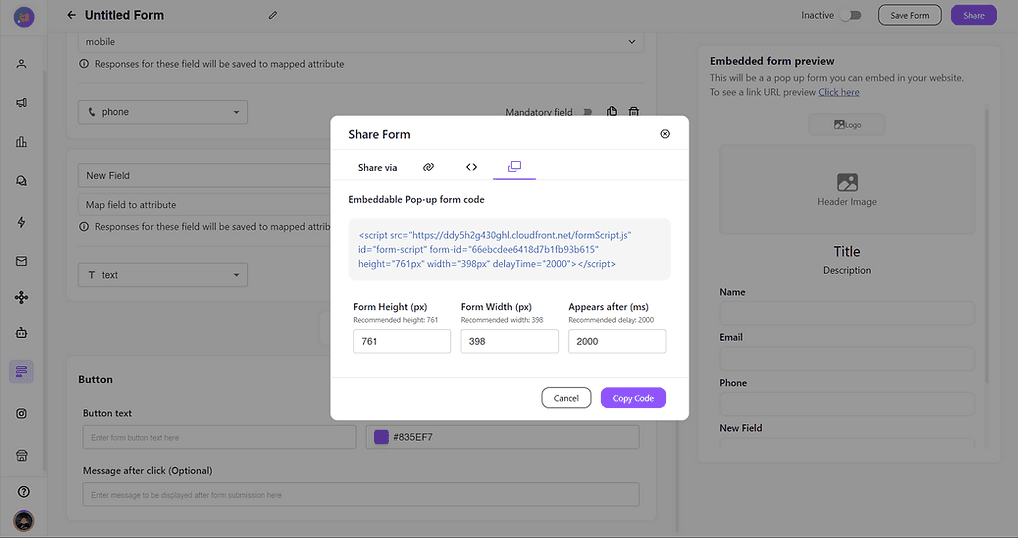
1.9.1 Click on save and Share. Here you can have all the three option to copy. You can either copy embeddable form code snippet, or Pop-up snippet or you can copy a shareable link.


Share via link
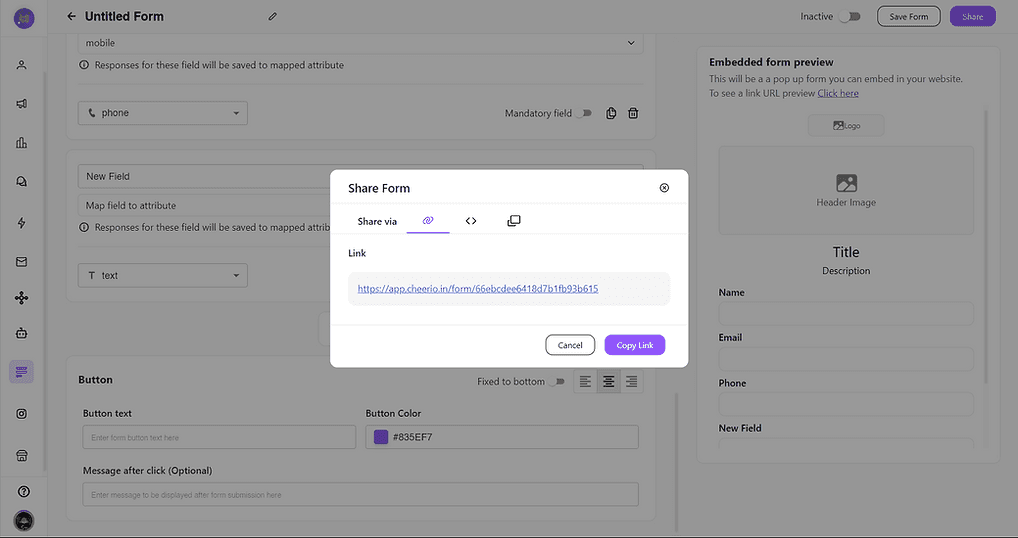
ree


Embeddable Code Snippet (Add preferred height and width)
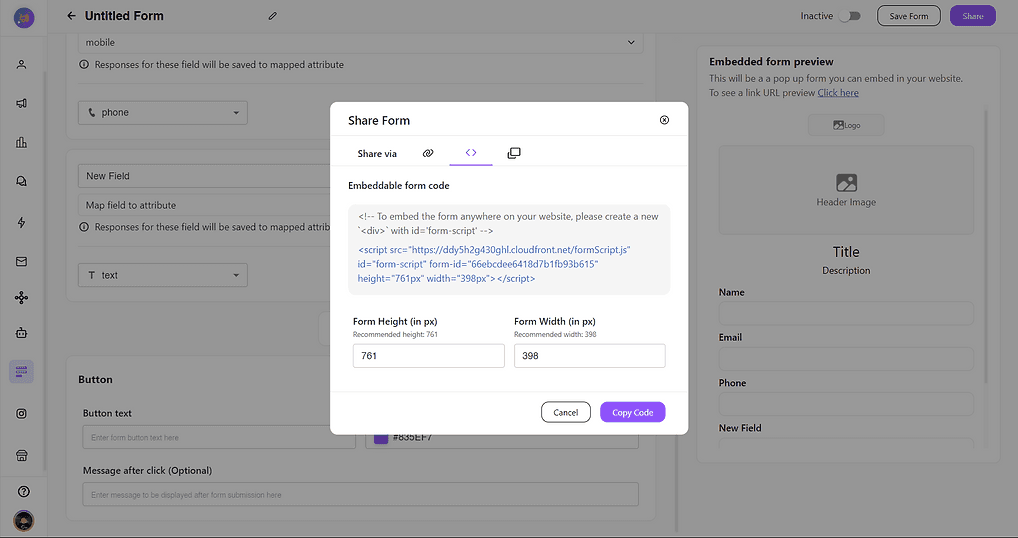
ree


Pop-up Form Code Snippet

ree


2.0 Automation


2.1 Go to Automation > Workflow and create a new flow
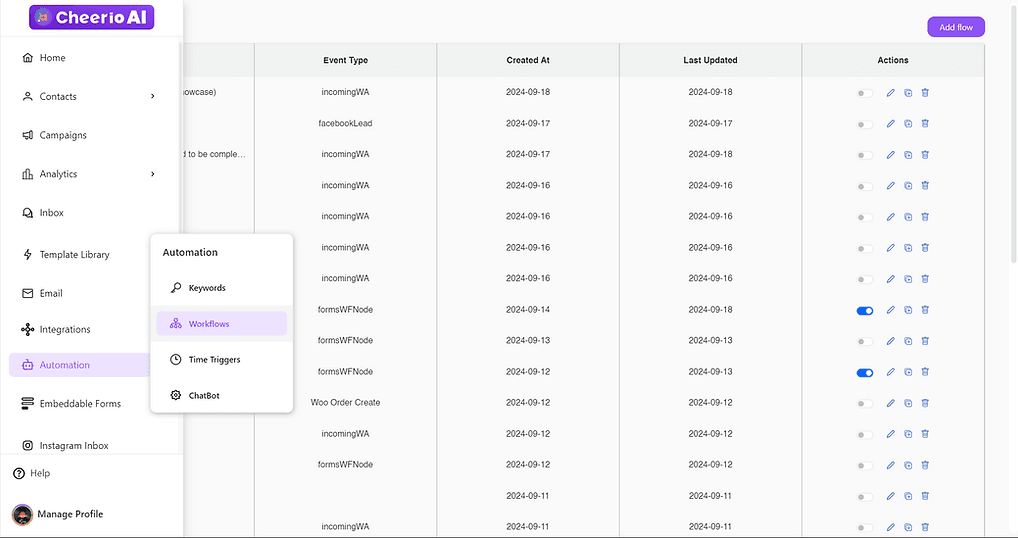
ree


2.2 Drag and drop embeddable form node
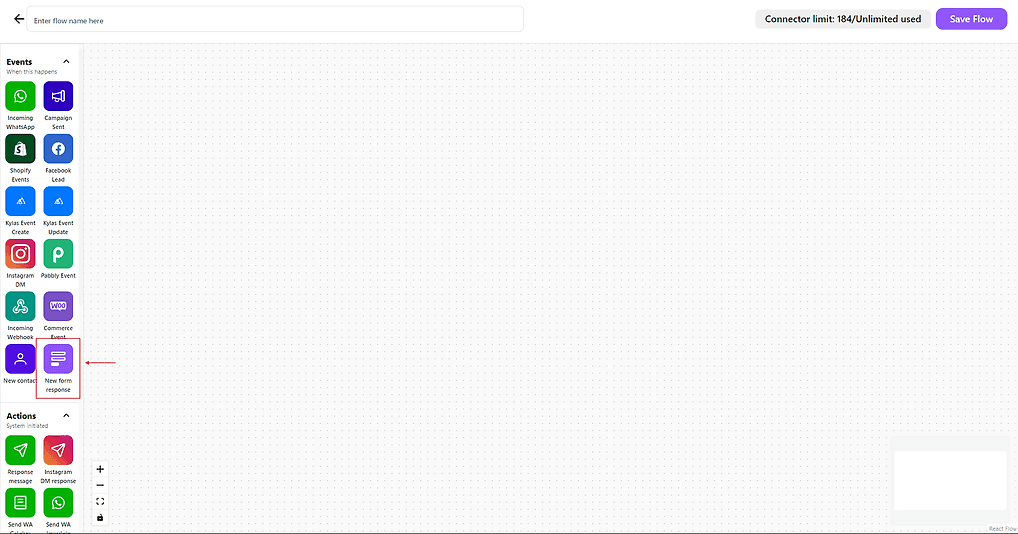
ree


2.3 Select the form on which you want to add automation
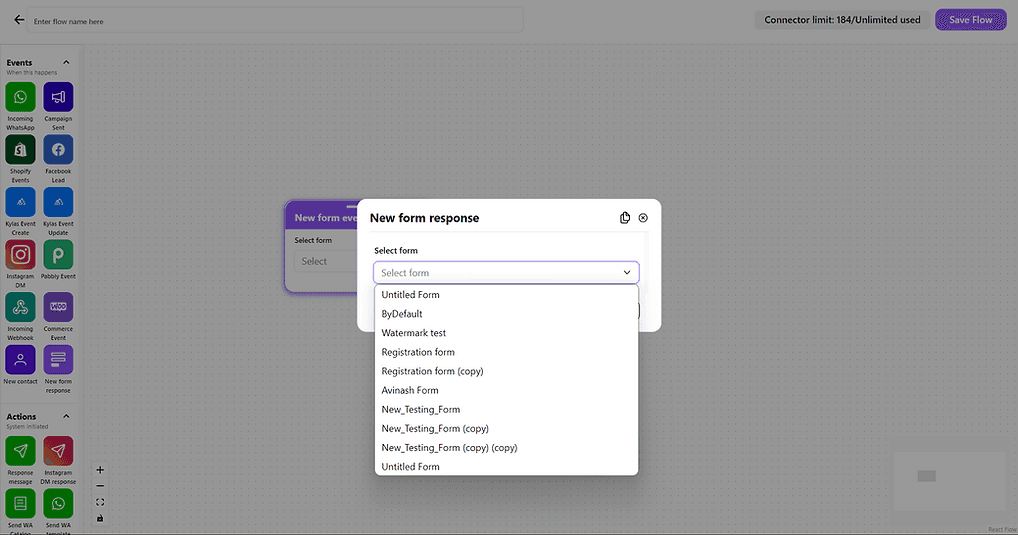
ree


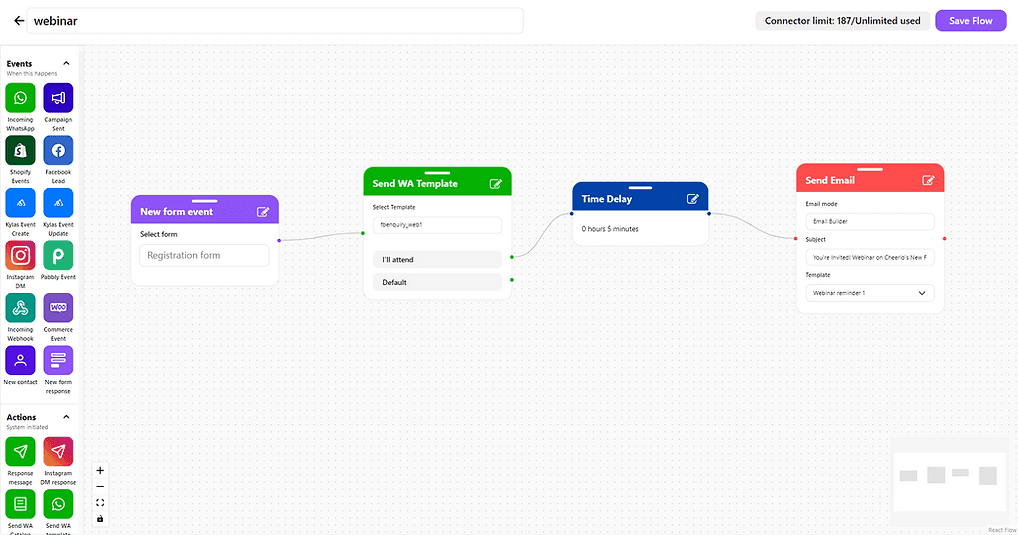
2.4 Done. Now you connect any action node after this to create further automation as per your requirement


ree


If in case you have any doubts or queries please reach out to us at admin@cheerio.in
Recommended for You

How to create Click-to-Instagram DM (CTD) Ads & Post-Message Automation in Cheerio AI

January 29, 2026

Collect UPI Payments Directly Inside WhatsApp with Cheerio AI

January 24, 2026

How to create and manage custom contact attributes on Cheerio?

December 14, 2025

Pricing

Resources

Case Studies

Login
Book a Demo

See Cheerio AI in action

Schedule a demo to explore how Cheerio runs enterprise workflows across your systems and channels.

Book a demo

Trusted by enterprise teams running workflows at scale.

Running enterprise workflows with clarity and control.

admin@cheerio.in

Home

About

Features

Comparison

Testimonials

FAQ’s

Pages

Pricing

Blogs

Guides

Case Studies

Privacy Policy

Social

Linkedin

Instagram

Youtube

© 2026 Cheerio AI. All rights reserved.

Designed by Moonkraft Studio

See Cheerio AI in action

Schedule a demo to explore how Cheerio runs enterprise workflows across your systems and channels.

Book a demo

Trusted by enterprise teams running workflows at scale.

Running enterprise workflows with clarity and control.

admin@cheerio.in

Home

About

Features

Comparison

Testimonials

FAQ’s

Pages

Pricing

Blogs

Guides

Case Studies

Privacy Policy

Social

© 2026 Cheerio AI. All rights reserved.

Designed by Moonkraft Studio

See Cheerio AI in action

Schedule a demo to explore how Cheerio runs enterprise workflows across your systems and channels.

Trusted by enterprise teams running workflows at scale.

Book a demo

Running enterprise workflows with clarity and control.

admin@cheerio.in

Home

About

Features

Comparison

Testimonials

FAQ’s

Pages

Pricing

Blogs

Guides

Case Studies

Privacy Policy

Social

Linkedin

Instagram

Youtube

© 2026 Cheerio AI. All rights reserved.

Designed by Moonkraft Studio