How to create WhatsApp Message Template on Cheerio?

Once you're done with setting up your WhatsApp Channel on Cheerio. Now it's the time to create your first WhatsApp Message Template for your campaign. WhatsApp only allows businesses to share the template message with their customers to share a message on WhatsApp as a business you need to get an approved message template from WhatsApp.


This process usually takes five minutes to complete & approved. You can create a template message on Cheerio from the template library itself. Here you get industry-proven templates used by brands. You can use these or can create your own as well.


Let's create our template.
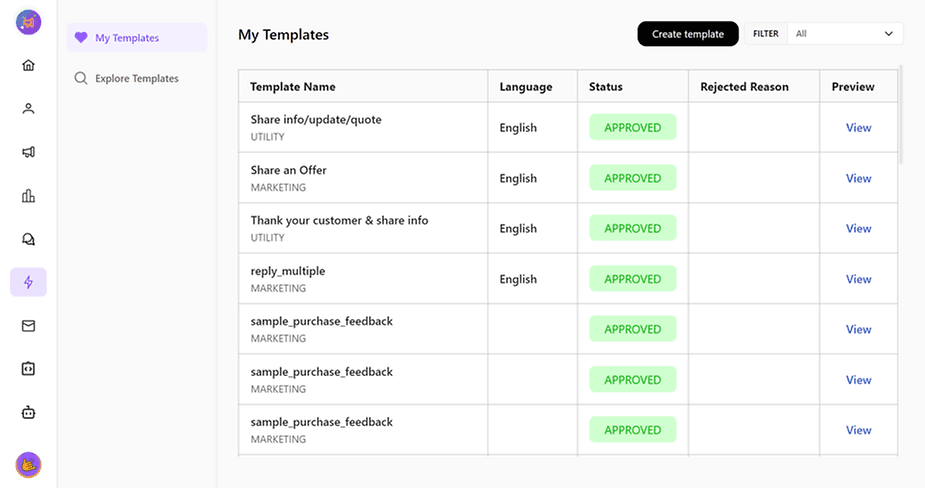
ree


  1. On the top right click the [create template] button
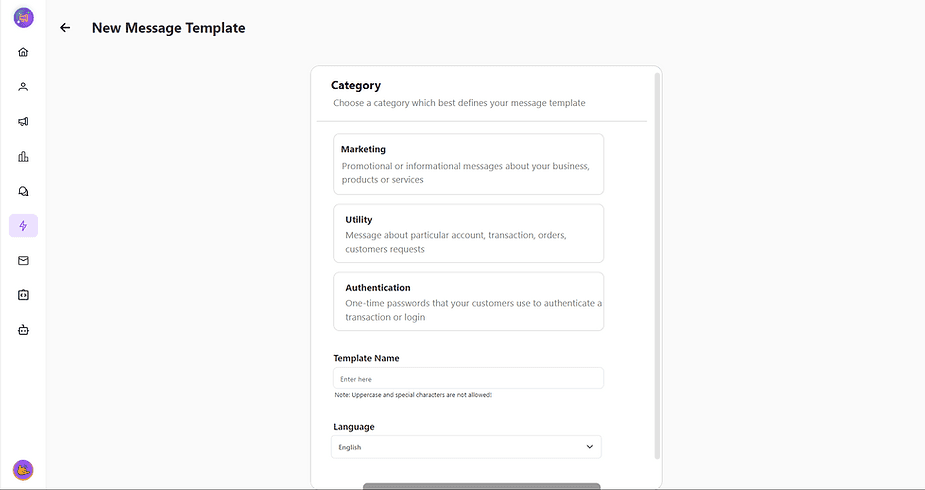
ree


2. Name your template, and choose a category & language for your template. (Name should be in small case & without spaces)
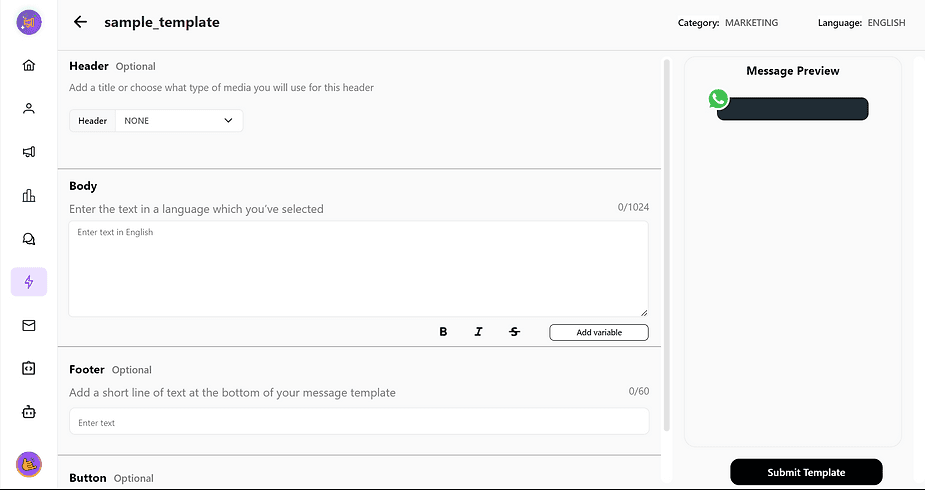
ree


3. Here is your template Builder, Here the left panel is for editing & creation whereas, on the right hand, you will have your message preview.
ree


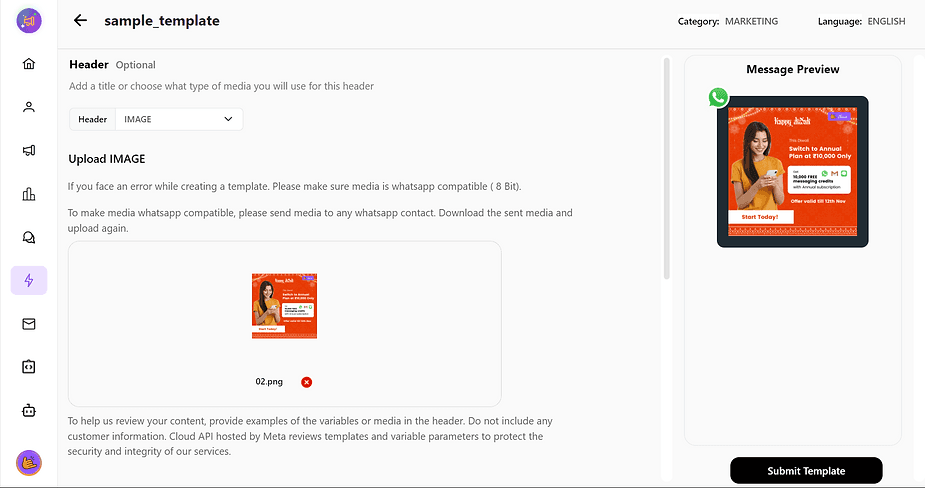
4. Start by adding a header to your message (This can be skipped as well)
ree


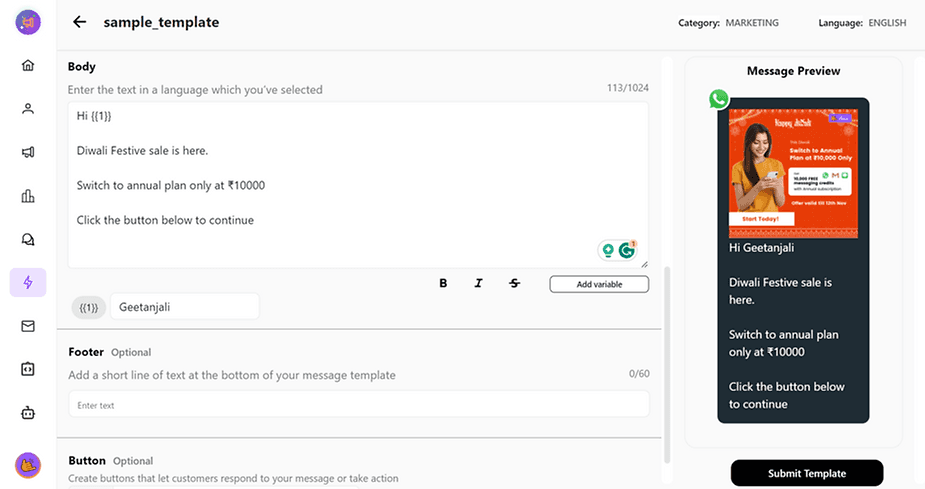
5. Now Enter the message in the body section in the language you want your template to be. You can use different text weights for hierarchy & precision.


Variables: variables are the text parameters in a template that can be altered every time for different customers. For example, {{1}} is a variable in the above image. You add a name as a variable while submitting a template. This will help while launching a campaign. You can add different names for different recipients.
ree


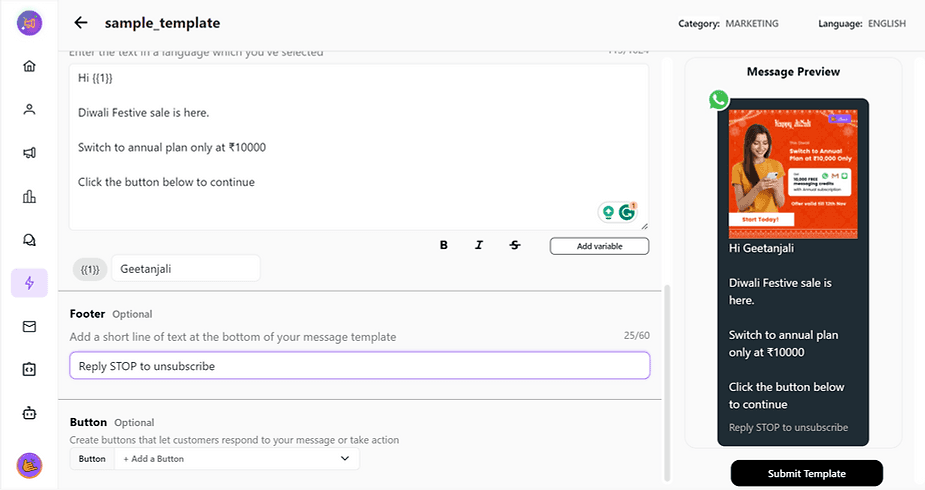
6. Add a footer if you want or skip it.


7. Add buttons/ Quick replies to your message. (This step can also be skipped)


Once done? Click submit template and you're done. Now keep checking on the template status from my templates section of Cheerio. once approved your template is good to shoot.
Recommended for You

How to create Click-to-Instagram DM (CTD) Ads & Post-Message Automation in Cheerio AI

January 29, 2026

Collect UPI Payments Directly Inside WhatsApp with Cheerio AI

January 24, 2026

How to create and manage custom contact attributes on Cheerio?

December 14, 2025

Pricing

Resources

Case Studies

Login
Book a Demo

See Cheerio AI in action

Schedule a demo to explore how Cheerio runs enterprise workflows across your systems and channels.

Book a demo

Trusted by enterprise teams running workflows at scale.

Running enterprise workflows with clarity and control.

admin@cheerio.in

Home

About

Features

Comparison

Testimonials

FAQ’s

Pages

Pricing

Blogs

Guides

Case Studies

Privacy Policy

Social

Linkedin

Instagram

Youtube

© 2026 Cheerio AI. All rights reserved.

Designed by Moonkraft Studio

See Cheerio AI in action

Schedule a demo to explore how Cheerio runs enterprise workflows across your systems and channels.

Book a demo

Trusted by enterprise teams running workflows at scale.

Running enterprise workflows with clarity and control.

admin@cheerio.in

Home

About

Features

Comparison

Testimonials

FAQ’s

Pages

Pricing

Blogs

Guides

Case Studies

Privacy Policy

Social

© 2026 Cheerio AI. All rights reserved.

Designed by Moonkraft Studio

See Cheerio AI in action

Schedule a demo to explore how Cheerio runs enterprise workflows across your systems and channels.

Trusted by enterprise teams running workflows at scale.

Book a demo

Running enterprise workflows with clarity and control.

admin@cheerio.in

Home

About

Features

Comparison

Testimonials

FAQ’s

Pages

Pricing

Blogs

Guides

Case Studies

Privacy Policy

Social

Linkedin

Instagram

Youtube

© 2026 Cheerio AI. All rights reserved.

Designed by Moonkraft Studio