How to get a latitude and longitude using google maps.
To fetch the latitude and longitude of your location.
Step 1: Open Google Maps on any web browser (maps.google.com)
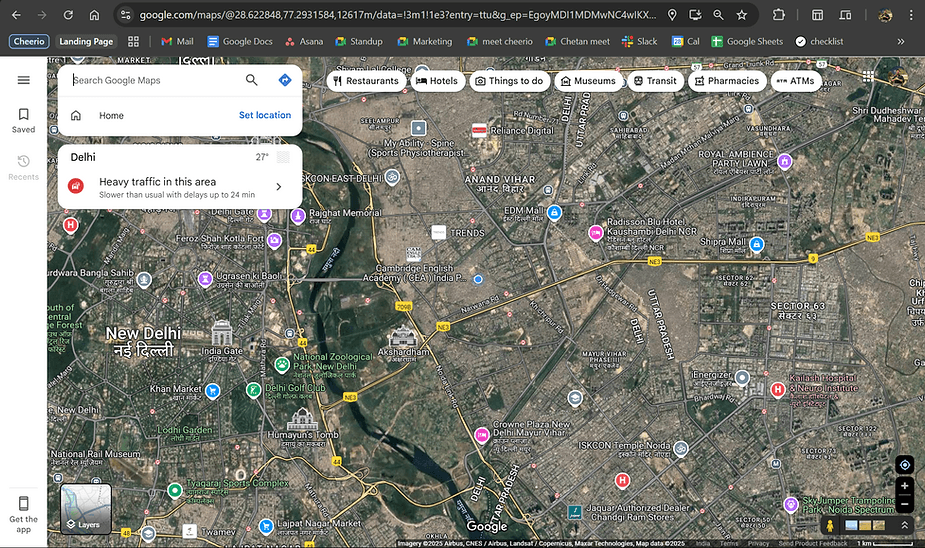
Step 2: Search for your desired location
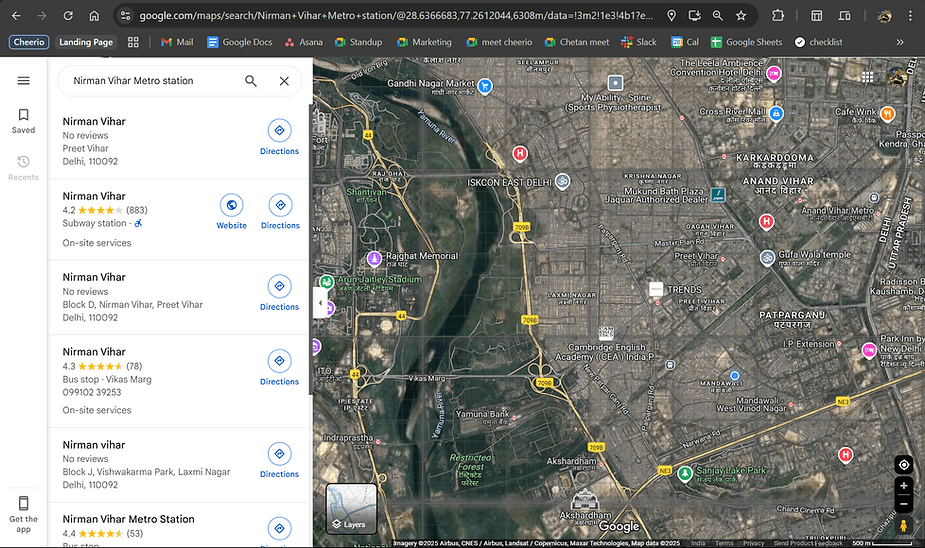
Step 3: Choose the exact location for precision
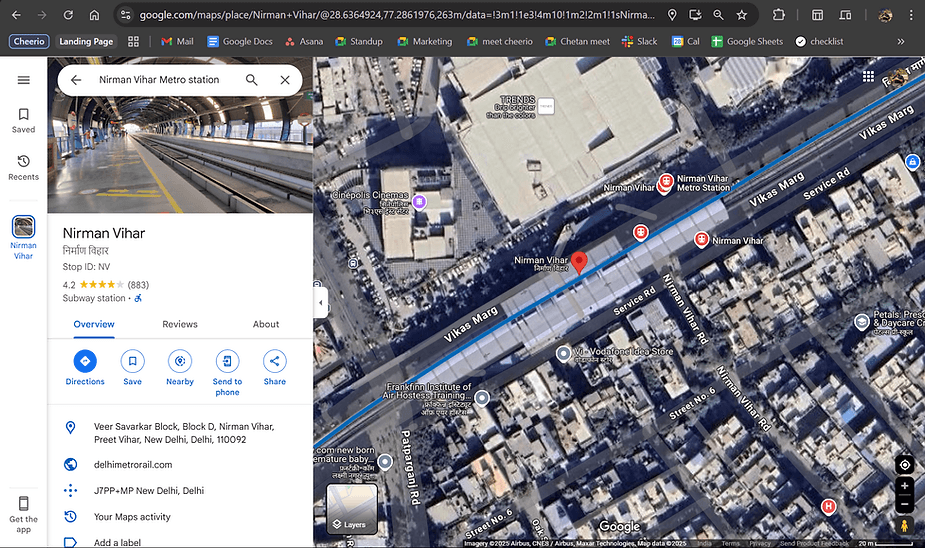
Step 4: Look for the url present from your browser's search bar

Step 5: Copy these two coordinates (Latitude, Longitude) (28.6364924, 77.2861976)

Step 6: Paste these value in your Cheerio Dashboard and Verify location from preview shown.
In case you have doubts? reach us at admin@cheerio.in
Recommended for You


How to create Click-to-Instagram DM (CTD) Ads & Post-Message Automation in Cheerio AI
January 29, 2026


Collect UPI Payments Directly Inside WhatsApp with Cheerio AI
January 24, 2026


How to create and manage custom contact attributes on Cheerio?
December 14, 2025