How to integrate your Shopify Store with Cheerio
If you have your business running on the Shopify store and you want to automate your messages for your customers. Cheerio can help you all you have to do is integrate your Shopify store into Cheerio using the steps below
Go to integrations and in that, you will find Shopify
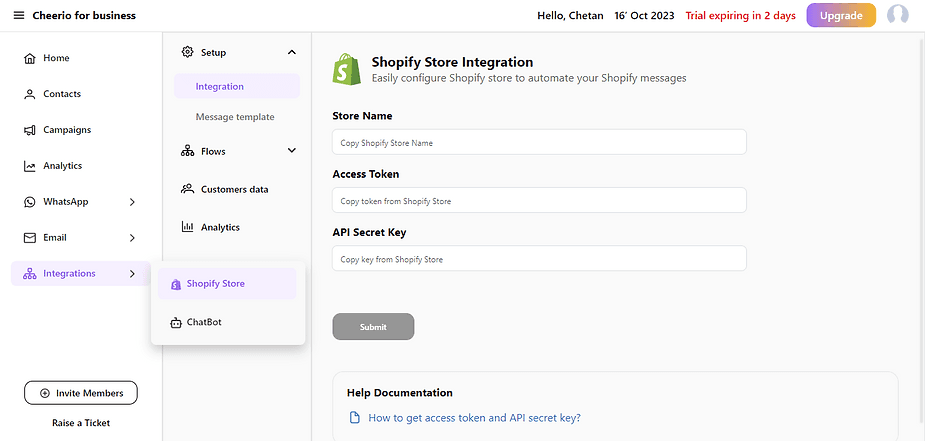
2. Add your store name, access token, and API secret key and submit.
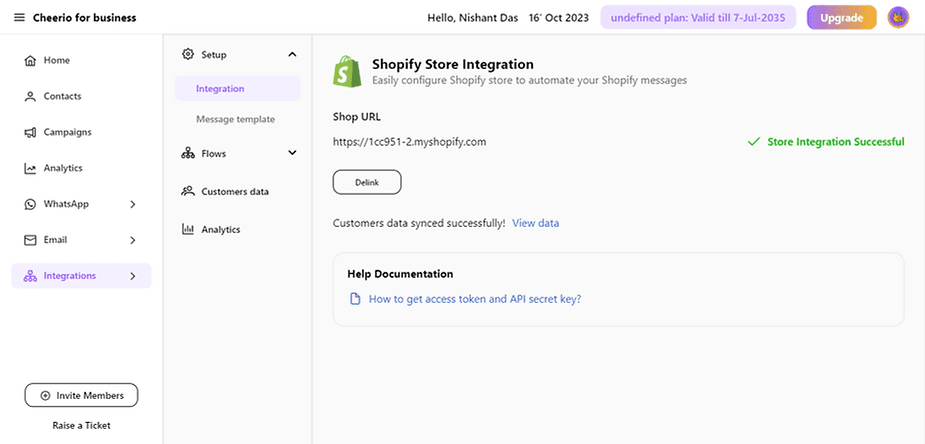
3. Once your integration is completed. Cheerio will auto-submit a few e-commerce templates for you to automate your messaging process.
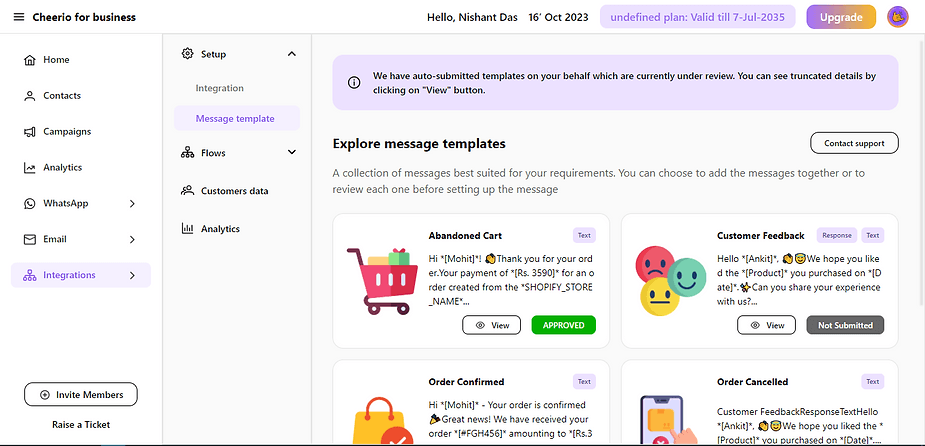
4. Turn on messaging flows for Shopify customers from Flows ( Once templates are approved )
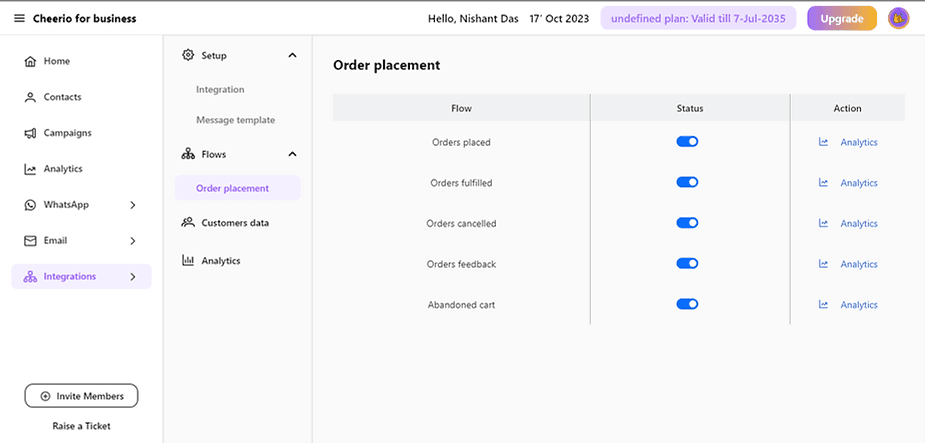
Great! you are done. Your Shopify messaging is successfully Set up now
Recommended for You


How to create Click-to-Instagram DM (CTD) Ads & Post-Message Automation in Cheerio AI
January 29, 2026


Collect UPI Payments Directly Inside WhatsApp with Cheerio AI
January 24, 2026


How to create and manage custom contact attributes on Cheerio?
December 14, 2025