How to setup WhatsApp Catalog & Payments on Cheerio AI.

You can create a WhatsApp store on your WhatsApp Business Account using Cheerio AI. To do the same you have to create and connect a catalog on your Cheerio Dashboard and Select the respective payment method as per your use case.

With this, you can send Catalog messages, Product messages, and Payment links with Checkout or run a dedicated campaign to sell on WhatsApp directly.

Here are the steps to set up the WhatsApp catalog on Cheerio AI.

To connect the WhatsApp catalog on Cheerio AI, you have to make sure that you have connected your product catalog to the Meta E-commerce manager

Now assuming you have connected your catalog to your Meta E-commerce manager.

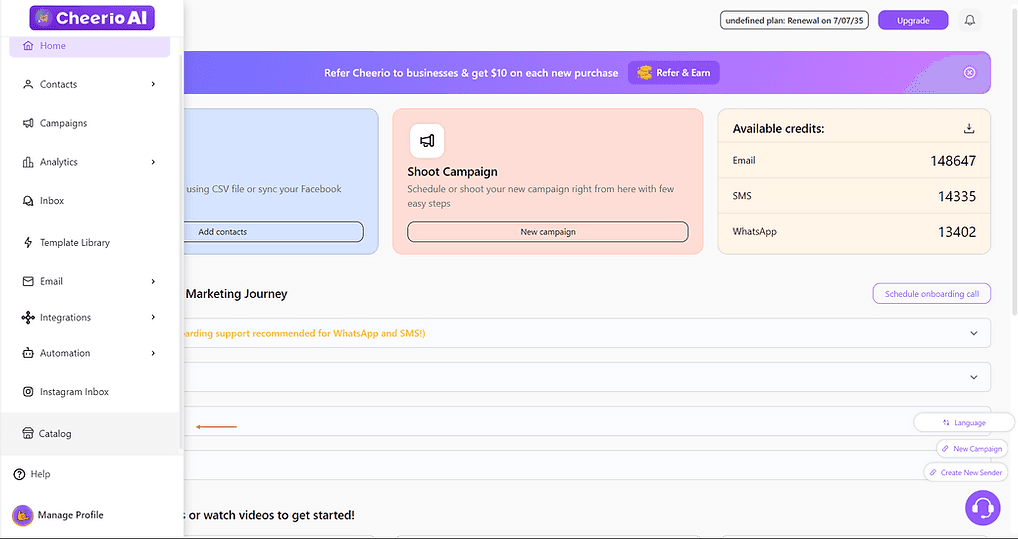
1. log in to your Cheerio Dashboard and go to catalog from the navigation bar
ree


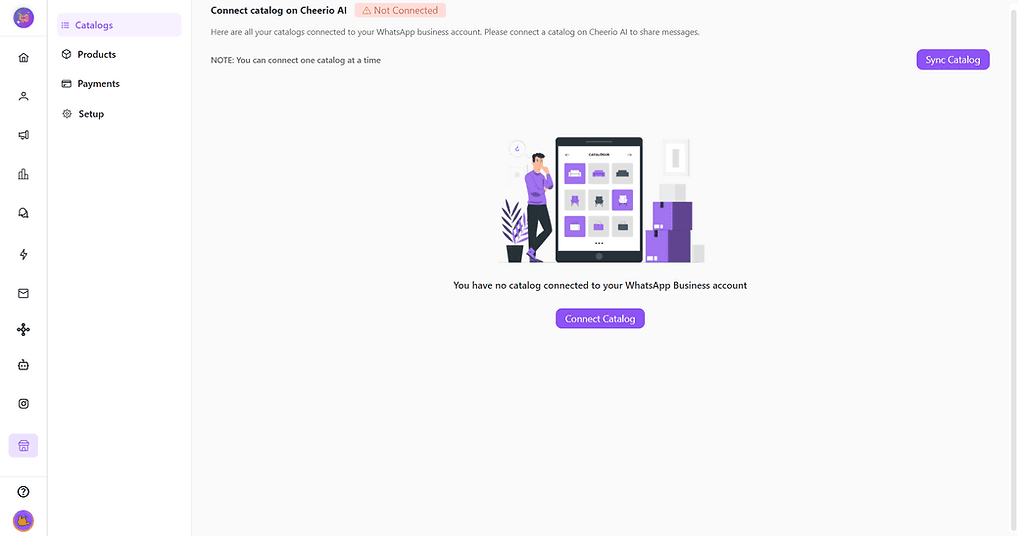
2. Click on "Connect Catalog" to create a connection between Cheerio AI and the E-commerce manager. (Disclaimer: Your WA channel setup must be completed at this stage via BSP)

In case you are receiving an error for connection. Please raise a support ticket
ree


3. Once your connection is completed you will be able to see your catalog here

ree


4. Go to the Product section to see all the products from your connected catalog.
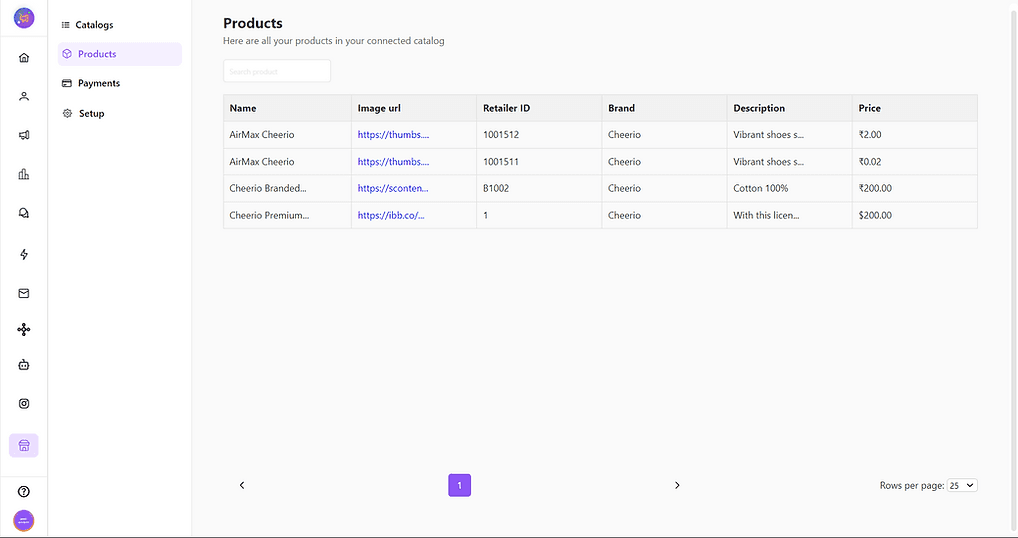
ree


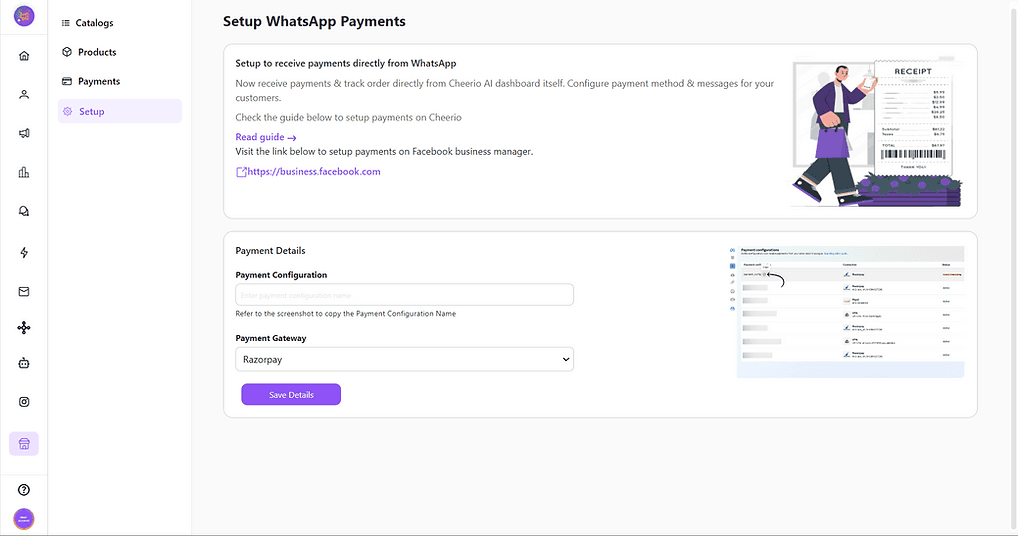
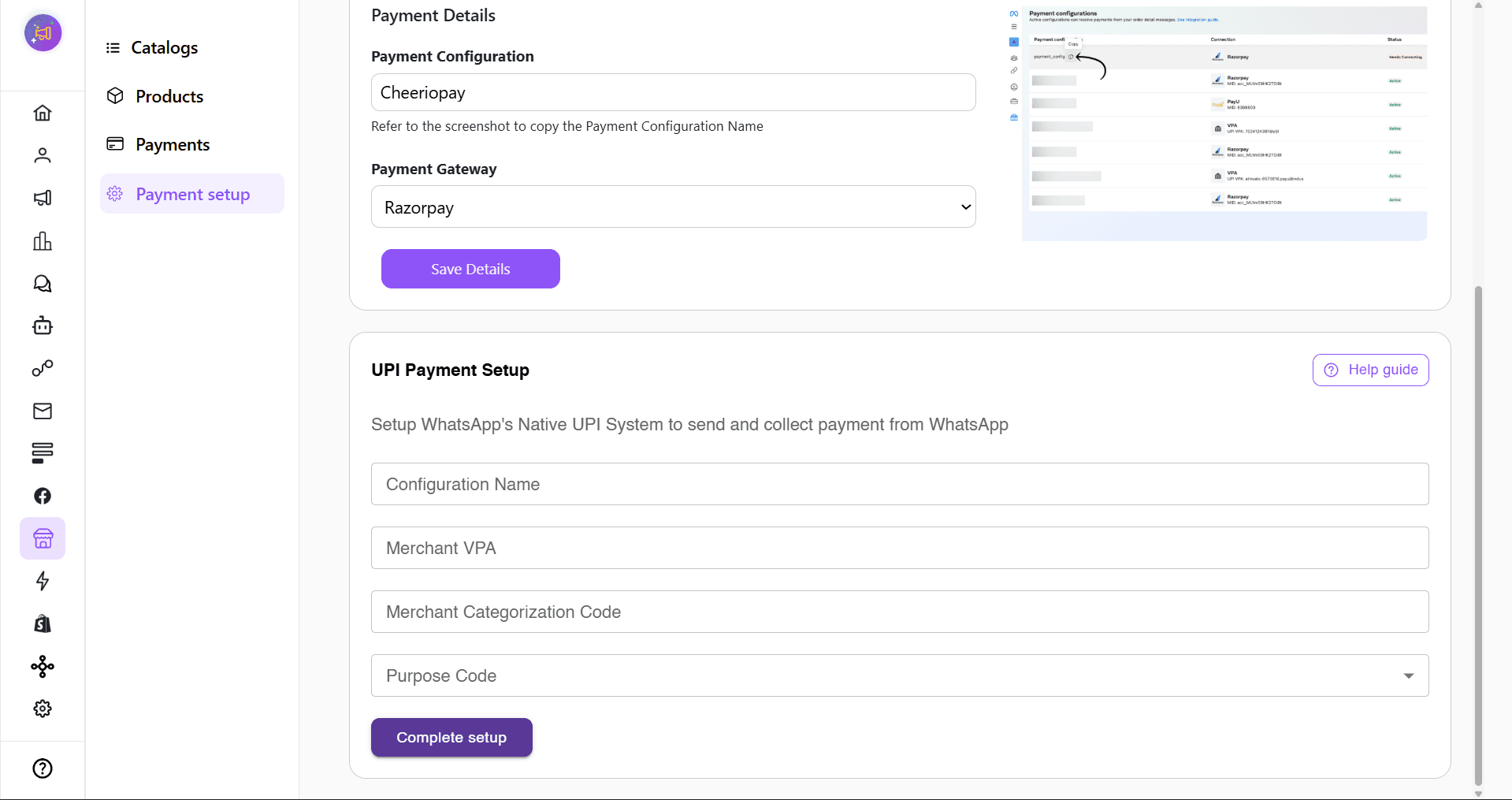
5. Go to payment setup

ree


6. Add the Payment configuration here (You can find it on your meta commerce manager or Refer to the image below)
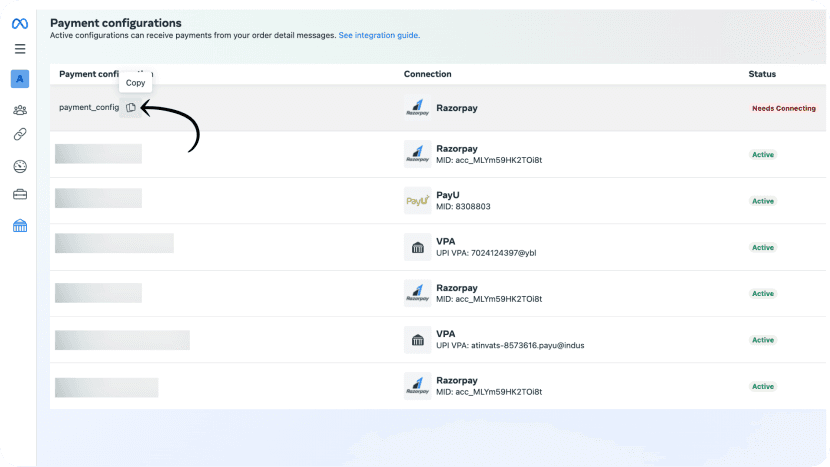
ree


7. Select the same payment gateway selected on the commerce manager and save the details
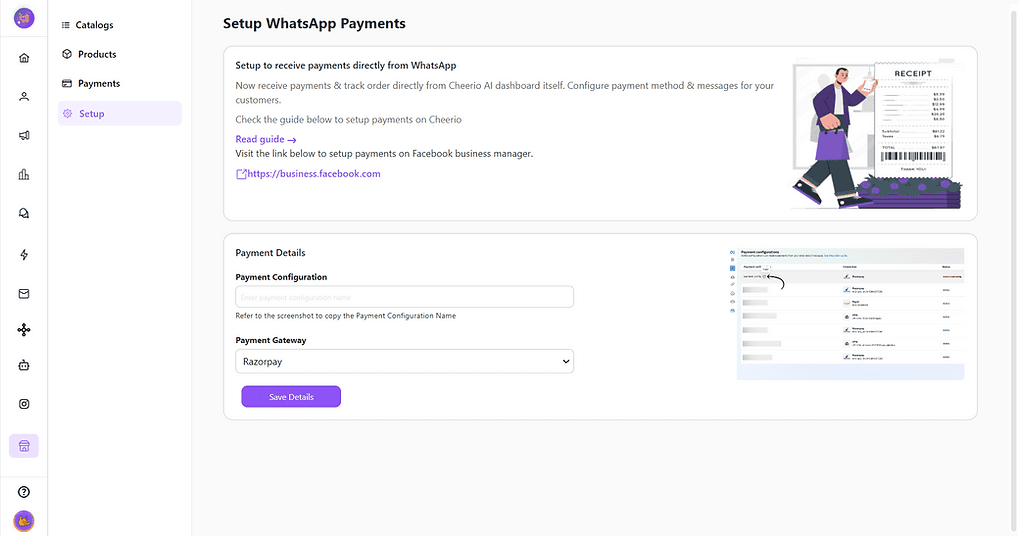
ree


Congratulations! Your WA Commerce setup is completed. Now start sharing catalog messages/ Create automation using the WA Catalog node in the workflow builder.
Recommended for You

How to create Click-to-Instagram DM (CTD) Ads & Post-Message Automation in Cheerio AI

January 29, 2026

Collect UPI Payments Directly Inside WhatsApp with Cheerio AI

January 24, 2026

How to create and manage custom contact attributes on Cheerio?

December 14, 2025

Pricing

Resources

Case Studies

Login
Book a Demo

See Cheerio AI in action

Schedule a demo to explore how Cheerio runs enterprise workflows across your systems and channels.

Book a demo

Trusted by enterprise teams running workflows at scale.

Running enterprise workflows with clarity and control.

admin@cheerio.in

Home

About

Features

Comparison

Testimonials

FAQ’s

Pages

Pricing

Blogs

Guides

Case Studies

Privacy Policy

Social

Linkedin

Instagram

Youtube

© 2026 Cheerio AI. All rights reserved.

Designed by Moonkraft Studio

See Cheerio AI in action

Schedule a demo to explore how Cheerio runs enterprise workflows across your systems and channels.

Book a demo

Trusted by enterprise teams running workflows at scale.

Running enterprise workflows with clarity and control.

admin@cheerio.in

Home

About

Features

Comparison

Testimonials

FAQ’s

Pages

Pricing

Blogs

Guides

Case Studies

Privacy Policy

Social

© 2026 Cheerio AI. All rights reserved.

Designed by Moonkraft Studio

See Cheerio AI in action

Schedule a demo to explore how Cheerio runs enterprise workflows across your systems and channels.

Trusted by enterprise teams running workflows at scale.

Book a demo

Running enterprise workflows with clarity and control.

admin@cheerio.in

Home

About

Features

Comparison

Testimonials

FAQ’s

Pages

Pricing

Blogs

Guides

Case Studies

Privacy Policy

Social

Linkedin

Instagram

Youtube

© 2026 Cheerio AI. All rights reserved.

Designed by Moonkraft Studio