How to start a new WhatsApp conversation as a business using Cheerio?
To start a new WhatsApp conversation as a business you have to send a template message to a customer. If the customer responds to your template message your 24-hour messaging window will open to start a chat.
Here is how you can start a new conversation.
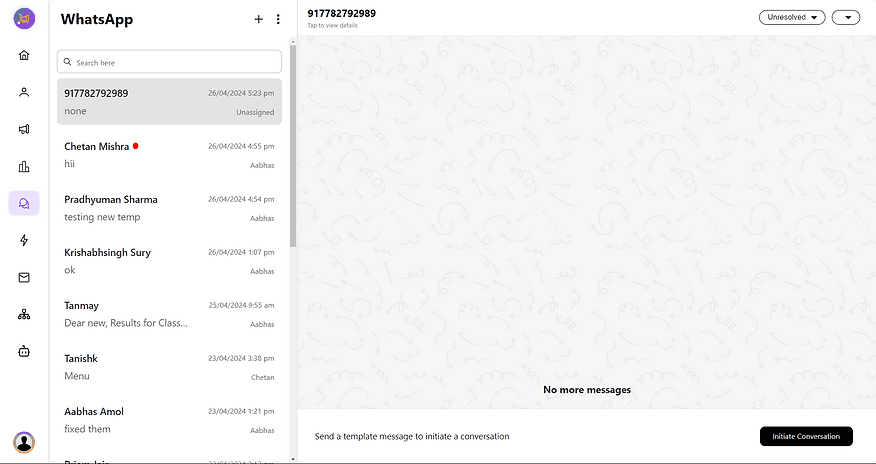
1. Go to the team Inbox & Click on the plus button on top to start a conversation.
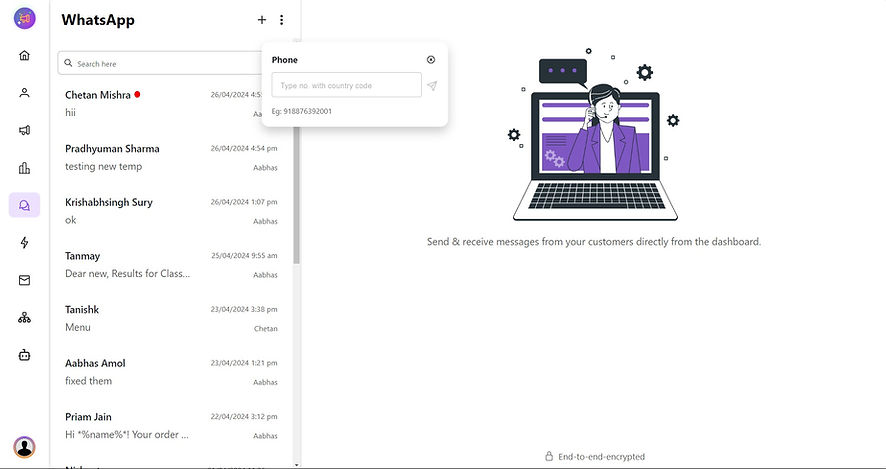
2. Add a phone number you want to start a conversation with country code
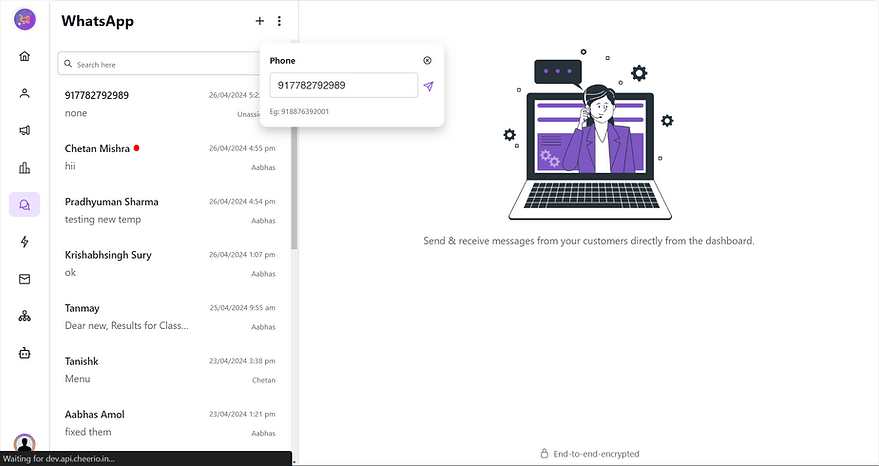
3. Click on the initiate conversation button to send a template message
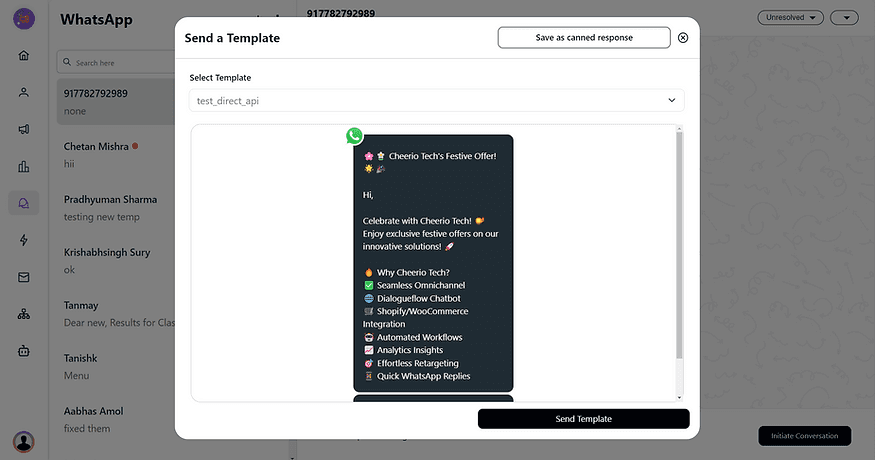
4. Select the desired template that you like to send. A template with a quick reply is recommended for conversion.
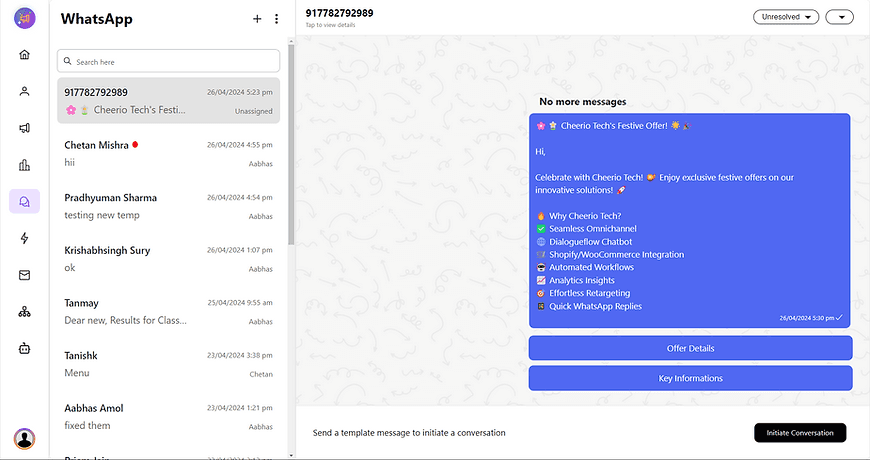
5. Send a template & wait for the customer's response to carry the chat forward.
Recommended for You


How to create Click-to-Instagram DM (CTD) Ads & Post-Message Automation in Cheerio AI
January 29, 2026


Collect UPI Payments Directly Inside WhatsApp with Cheerio AI
January 24, 2026


How to create and manage custom contact attributes on Cheerio?
December 14, 2025