What are workspaces in Cheerio and How you can leverage them?

Workspaces on Cheerio help you manage different WhatsApp, Email, and SMS accounts with a single account. If you already have multiple workspaces it's well & good if not, you can purchase an add-on bundle which will give you 10 extra workspaces for your accounts.


1. How do you manage workspaces on Cheerio?

To use multiple workspaces in Cheerio. You have to log in to the Cheerio partner dashboard where you can manage all your accounts at one place. To log in to the partner dashboard click on the top right link on your Cheerio dashboard and you will be redirected to the partner dashboard login page
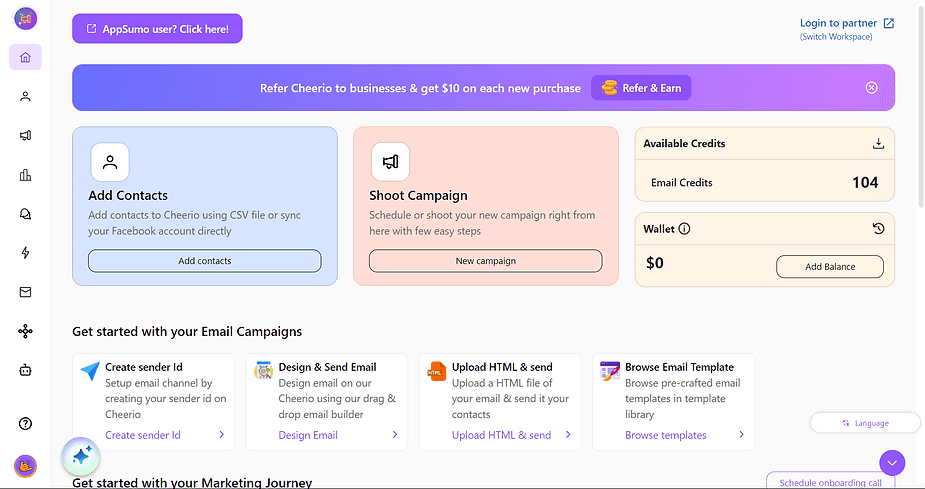
ree


Login here using your Cheerio credential
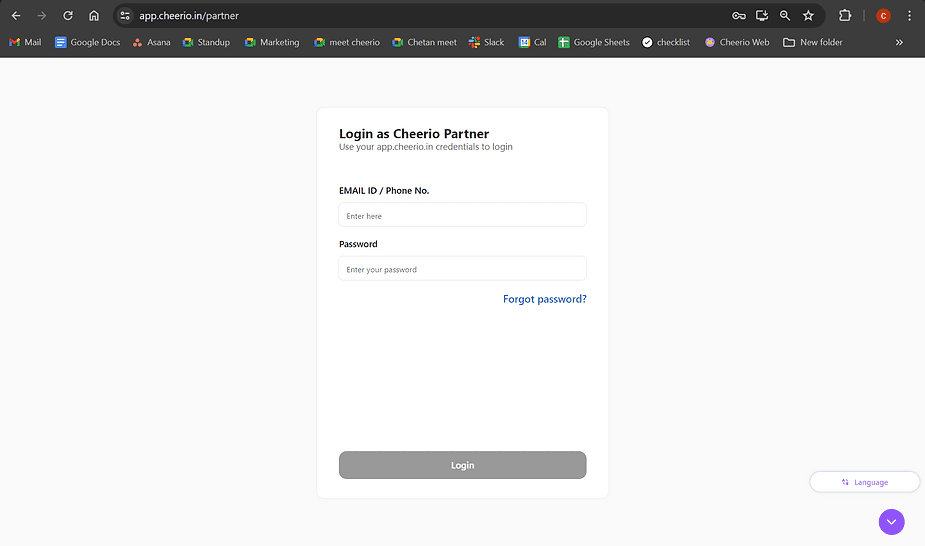
ree

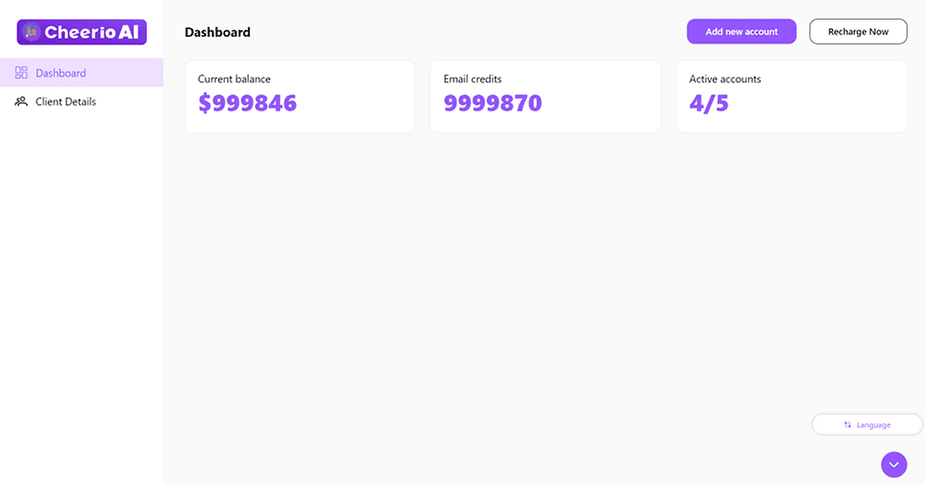
You will see the dashboard. and here are metrics that show your total no. of credits, Active accounts & wallet balance on your centralized account (Partner account). You can add or update the balance of your child's account wallets and add the new account to your workspace.


2. How to create child accounts if you have multiple Cheerio workspaces.

Once you have purchased a Cheerio subscription that account will be a parent account. To add child account/ other workspaces. You have to create a new account for each workspace and link it via the partner dashboard.


Follow the steps below:

1. Create a new free trial account for the child account on app.cheerio.in 

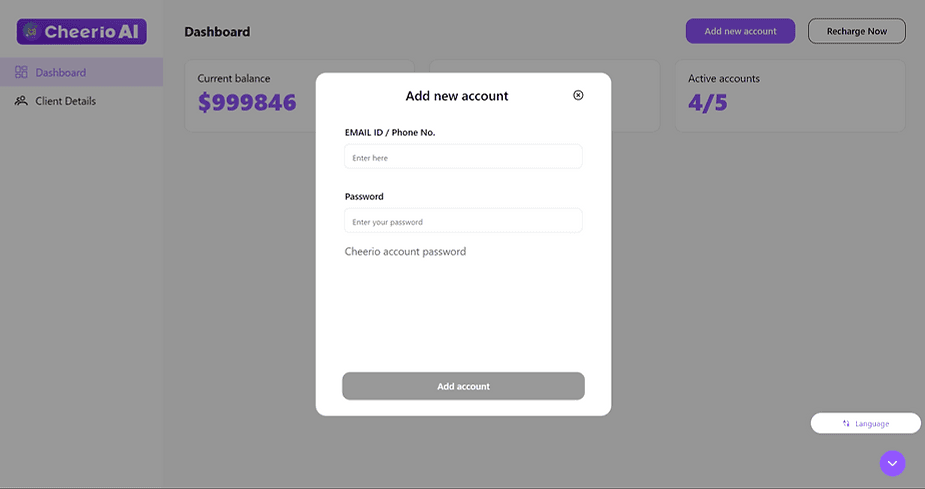
2. Now login to your parent account and then open the partner dashboard. Go to the client details page.

Click  "Add new account" and add your free trial account credentials here
ree


3. Once added your child free trial account will switch to a premium account.

ree


3. Adding money to your wallet on the Cheerio partner dashboard.

manage wallet amount & email credits across all your workspaces. You have to add money to your partner's dashboard centralized wallet.


1. To add money to your wallet, Click the “Recharge Now” button
ree


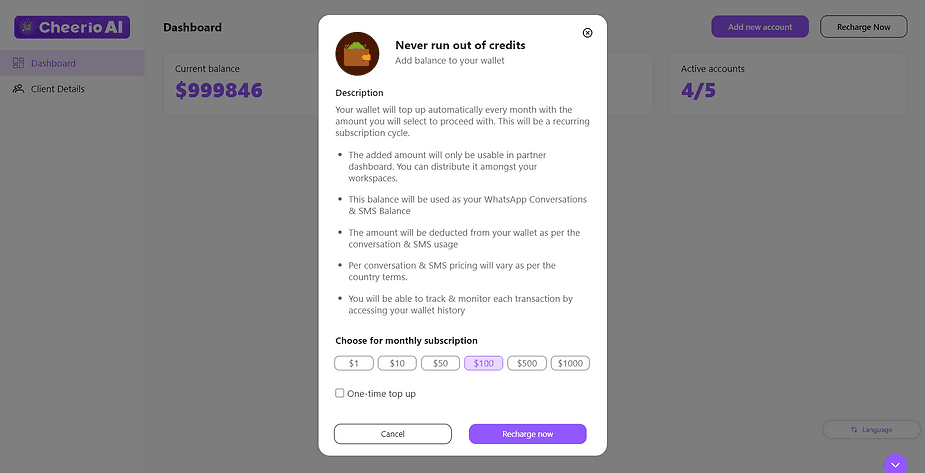
2. A pop-up will appear with the necessary information and the Top amount field 
ree

3. Add the amount that you want to add to your wallet & continue 

4. Make the payment & wait for 2-3 minutes to see your updated balance

5. Now you can distribute your amount across all workspaces to use.
Recommended for You

How to create Click-to-Instagram DM (CTD) Ads & Post-Message Automation in Cheerio AI

January 29, 2026

Collect UPI Payments Directly Inside WhatsApp with Cheerio AI

January 24, 2026

How to create and manage custom contact attributes on Cheerio?

December 14, 2025

Pricing

Resources

Case Studies

Login
Book a Demo

See Cheerio AI in action

Schedule a demo to explore how Cheerio runs enterprise workflows across your systems and channels.

Book a demo

Trusted by enterprise teams running workflows at scale.

Running enterprise workflows with clarity and control.

admin@cheerio.in

Home

About

Features

Comparison

Testimonials

FAQ’s

Pages

Pricing

Blogs

Guides

Case Studies

Privacy Policy

Social

Linkedin

Instagram

Youtube

© 2026 Cheerio AI. All rights reserved.

Designed by Moonkraft Studio

See Cheerio AI in action

Schedule a demo to explore how Cheerio runs enterprise workflows across your systems and channels.

Book a demo

Trusted by enterprise teams running workflows at scale.

Running enterprise workflows with clarity and control.

admin@cheerio.in

Home

About

Features

Comparison

Testimonials

FAQ’s

Pages

Pricing

Blogs

Guides

Case Studies

Privacy Policy

Social

© 2026 Cheerio AI. All rights reserved.

Designed by Moonkraft Studio

See Cheerio AI in action

Schedule a demo to explore how Cheerio runs enterprise workflows across your systems and channels.

Trusted by enterprise teams running workflows at scale.

Book a demo

Running enterprise workflows with clarity and control.

admin@cheerio.in

Home

About

Features

Comparison

Testimonials

FAQ’s

Pages

Pricing

Blogs

Guides

Case Studies

Privacy Policy

Social

Linkedin

Instagram

Youtube

© 2026 Cheerio AI. All rights reserved.

Designed by Moonkraft Studio