What is First Response Time (FRT) and how to track & set FRT in Cheerio?
First response time (FRT) is the number of minutes or hours passed from the time a customer first submits their case and a contact center agent responds to it.
On Cheerio, you can set FRT for your Team Inbox and track your agents.
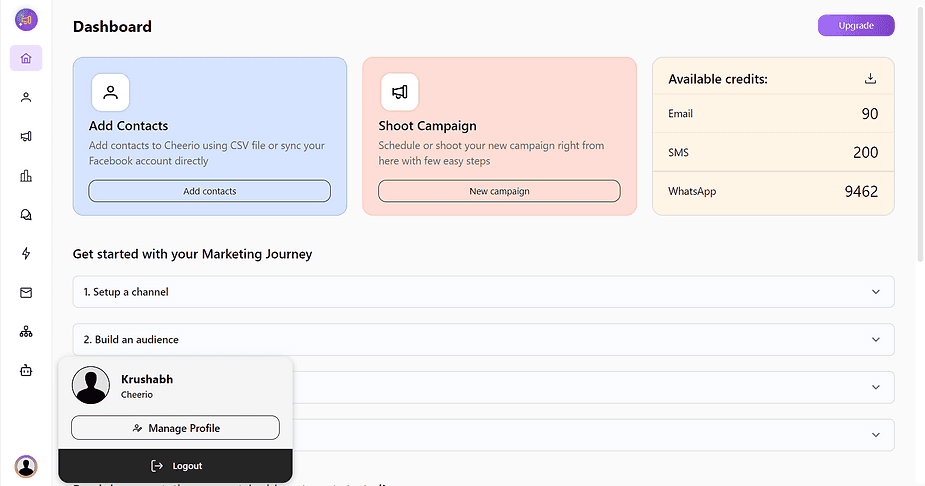
1. To set FRT you have to go manage profile section by clicking the profile image in the bottom left.
2. Here select the "Chat preferences" tab.
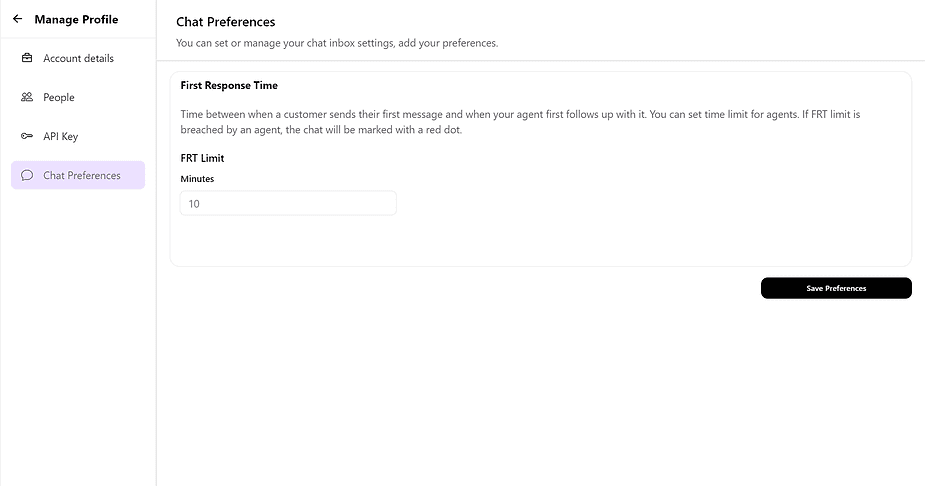
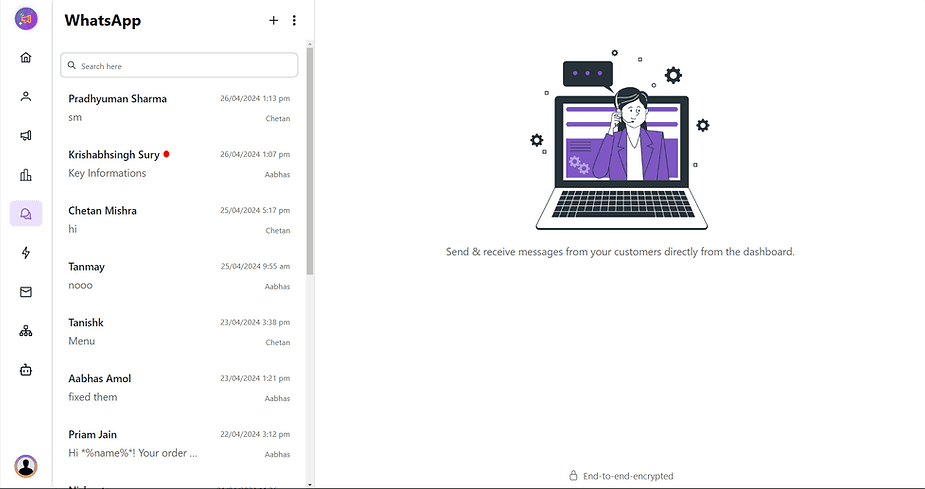
3. Set your desired time in minutes & save preferences & you're good to go. Your FRT Exceeded chats will get highlighted will red dot and will be visible to all agents to respond quickly.
Recommended for You


How to create Click-to-Instagram DM (CTD) Ads & Post-Message Automation in Cheerio AI
January 29, 2026


Collect UPI Payments Directly Inside WhatsApp with Cheerio AI
January 24, 2026


How to create and manage custom contact attributes on Cheerio?
December 14, 2025