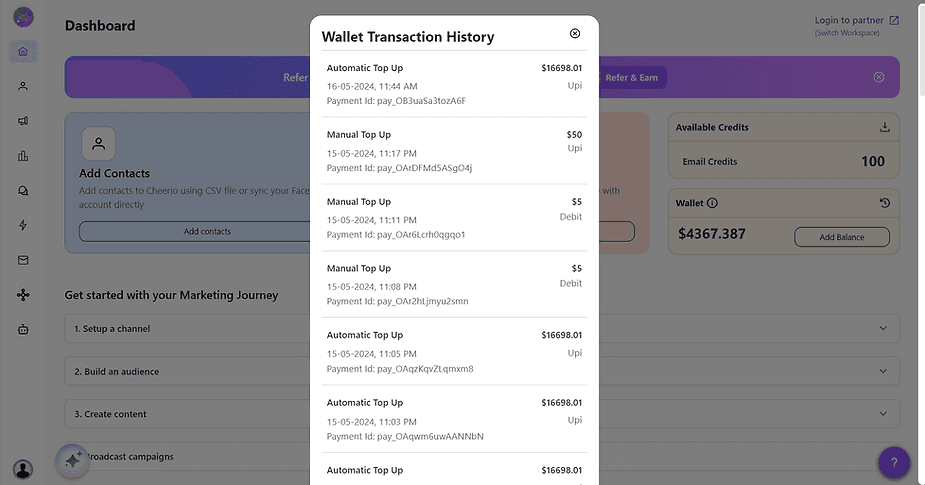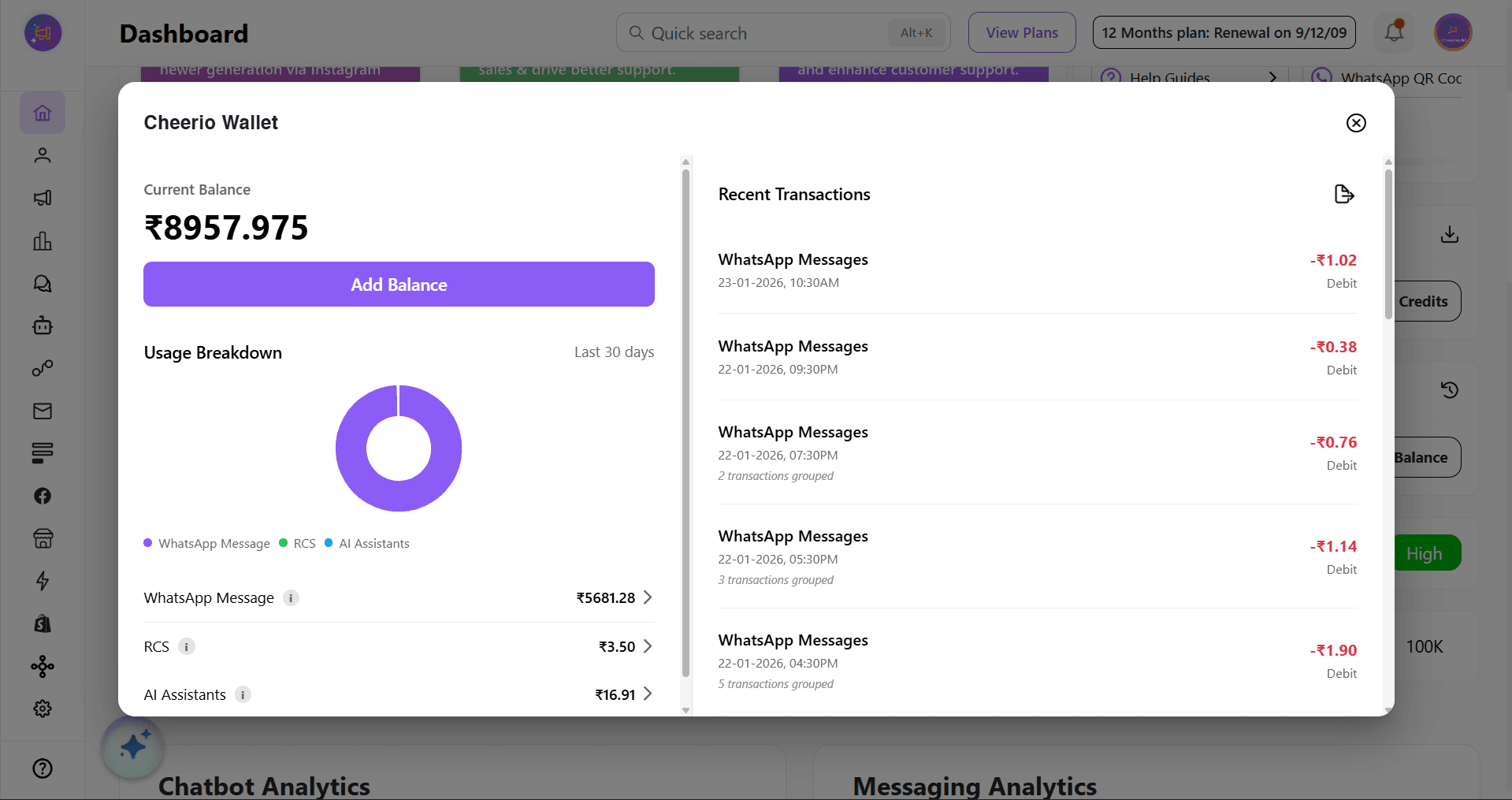
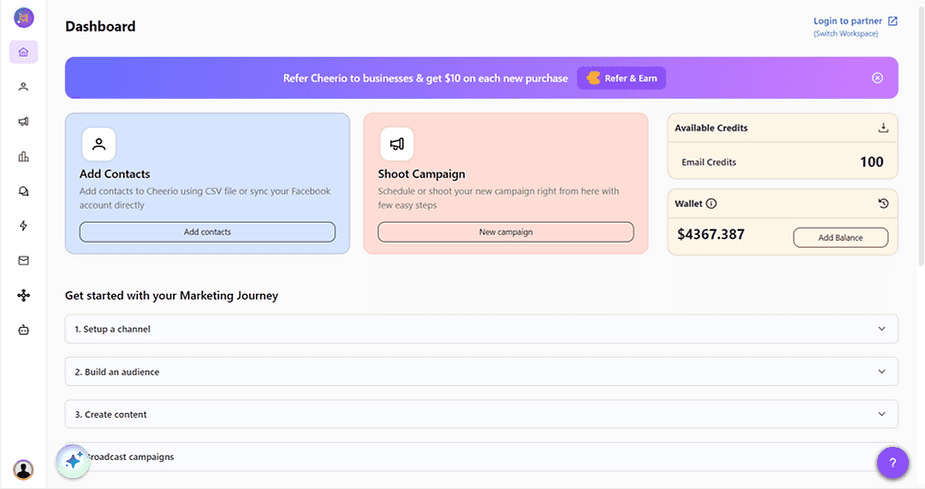
If you're any user outside of the India. You will see a wallet on your Cheerio dashboard. To use it first you have to top up or add money to your Cheerio wallet using your credit card. This top-up amount will be used to deduct money as per your SMS & WhatsApp messages usage and for add-on subscriptions.
How to add money to your Cheerio wallet?
1. To add money to your Cheerio wallet you will need a credit card.
2. You can add money in two ways either you can opt for a monthly top-up cycle in which a recurring amount will be deducted from your credit card every month based on the plan you choose OR you can top-up manually in one time as much amount you want to add.
3. Click on the add balance button on the wallet card. A pop-up will open
4. Opt for the monthly subscription or one-time top-up as per your requirement
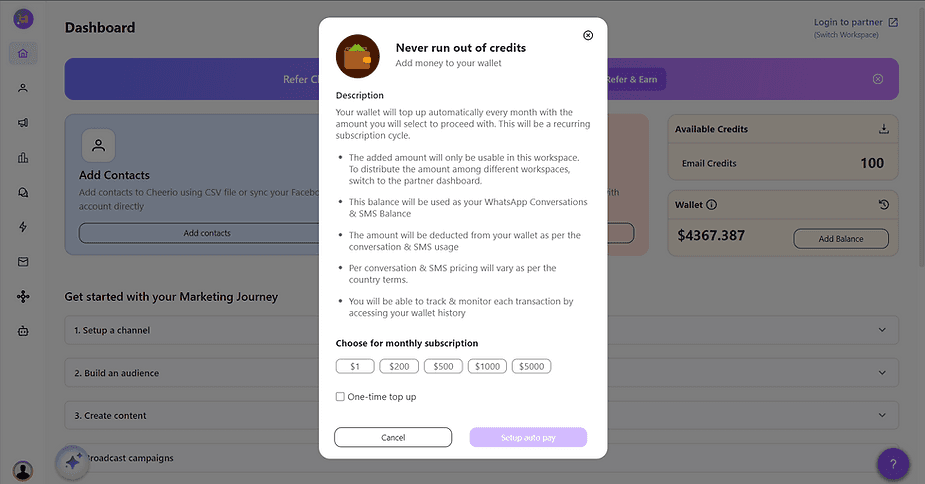
5. Click on the Recharge Now/ Setup auto top-up button & proceed.
6. The Payment gateway will open, Add your personal & credit card details and make the payment.
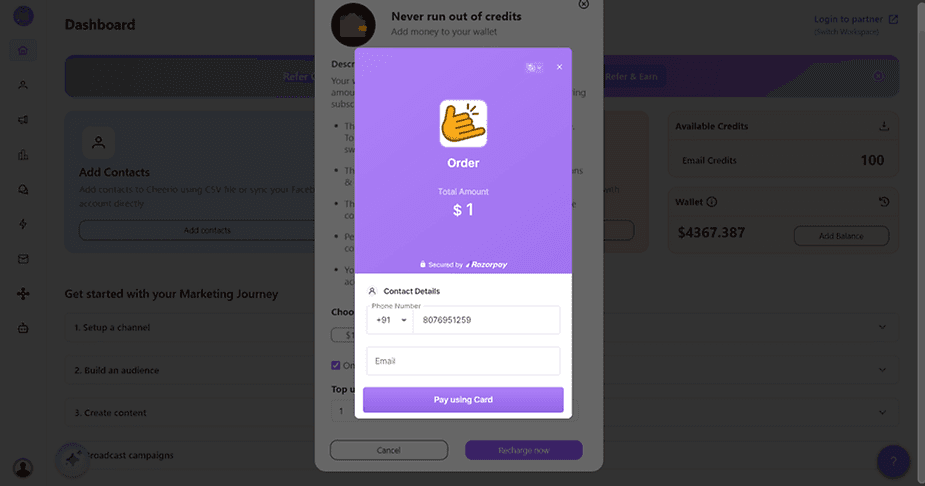
7. Once payment is confirmed. Your added balance will start reflecting after 2-3 minutes of payment confirmation. In case it does not reflect "refresh page" or contact us.
8. You can track your wallet history by clicking on the button. Both debit & credit amounts will be visible here.